QtScrcpy Graphical Control

QtScrcpy allows you to display and control Android devices via USB or network connection. No root permissions required.
Quick Debugging
Wireless Quick Connection
-
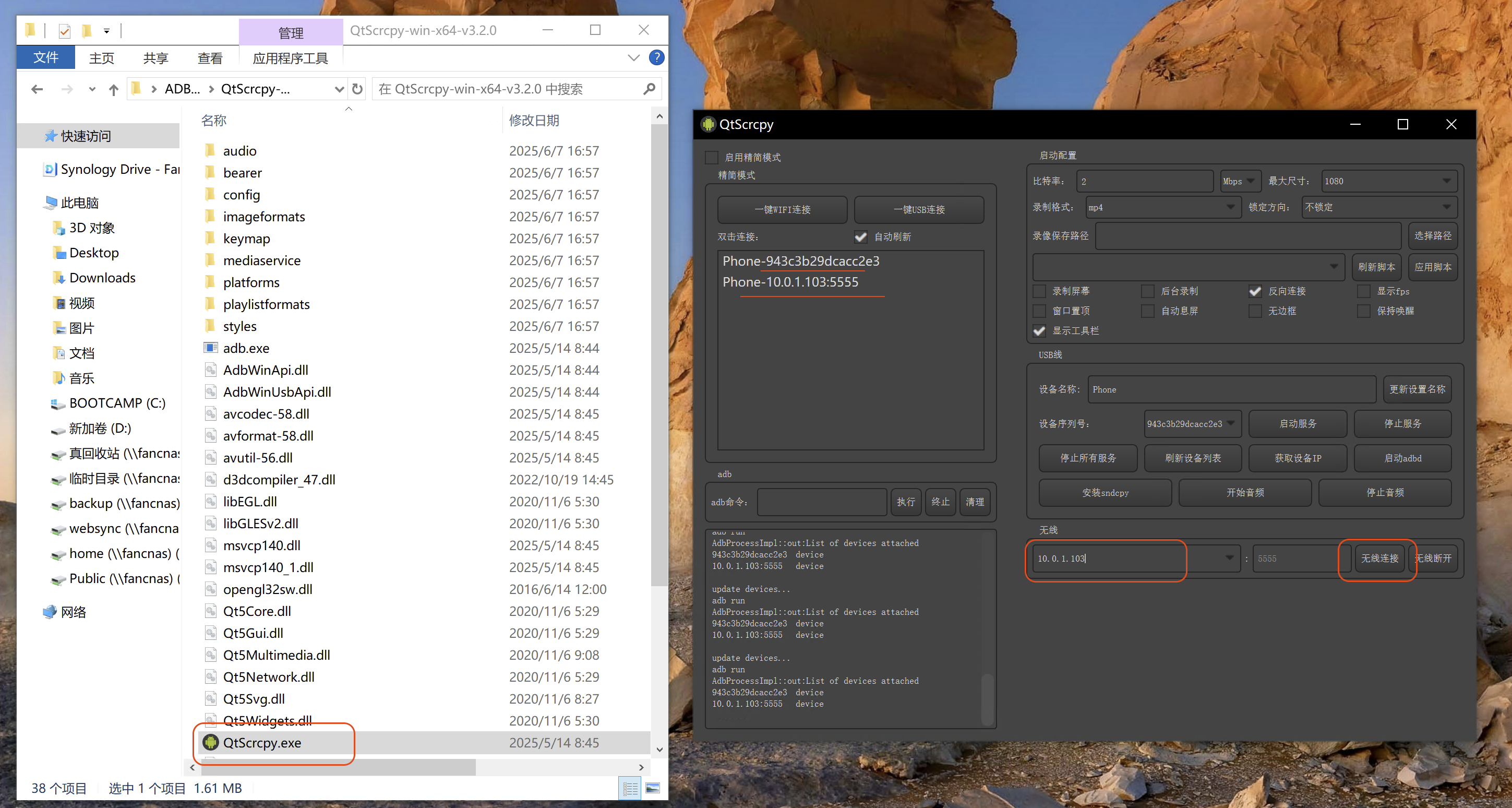
Open the program
QtScrcpy.exe. -
In the
Wirelesssection, enter the device IP address, e.g.,10.0.1.103. -
Click
Connect Wireless. The device list will appear on the left.
Wireless connection
Wired Connection
Simply connect the device using a USB cable.
Open the Graphical Interface
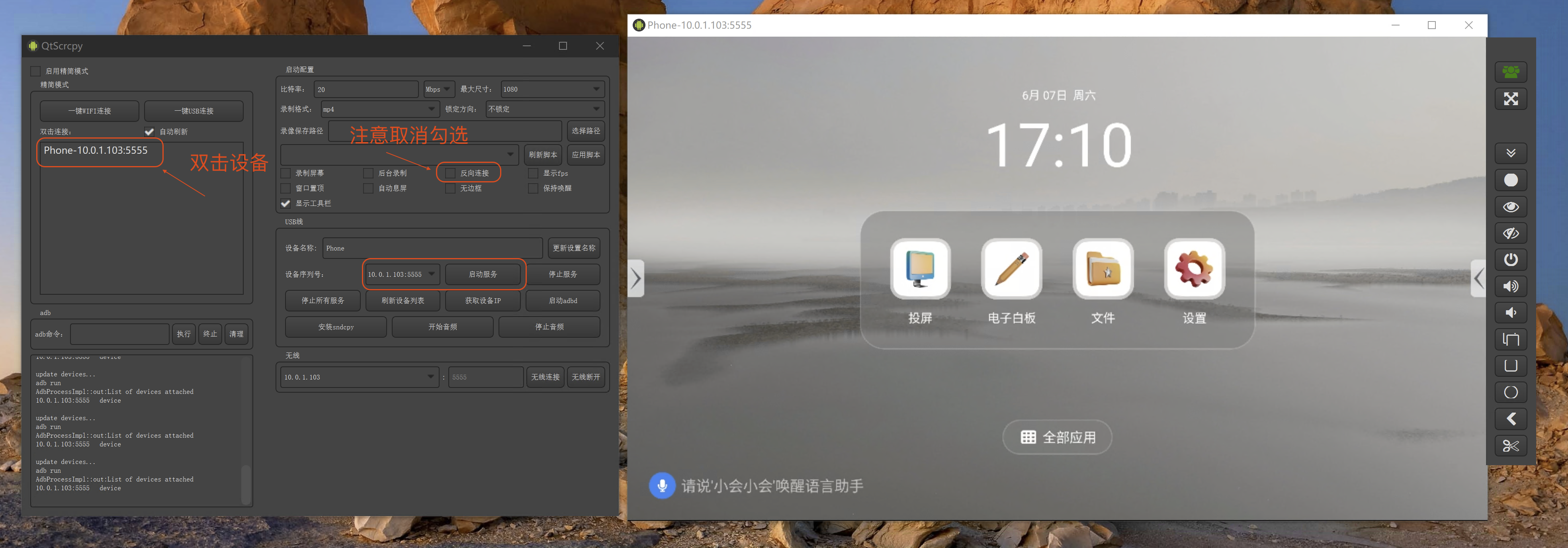
Double-click directly on the connected device in the left panel to view the screen.
Alternatively, select a device from the Device Serial: dropdown and click Start Service to view the screen.
Note: Uncheck Reverse Connection; otherwise, you might not be able to control the device.
Starting the graphical interface