Preparation

Preparations before using ADB commands.
0. Prepare Required Files
The
QtScrcpysoftware package includesadb.exe, so it can also be used as an ADB tool.
RKDevTool_v3.30_for_windowalso has abindirectory containing ADB.
Recommended Action: To avoid file clutter, it is recommended to create a new directory, e.g., named ADB_TOOL, and place the downloaded program files inside.
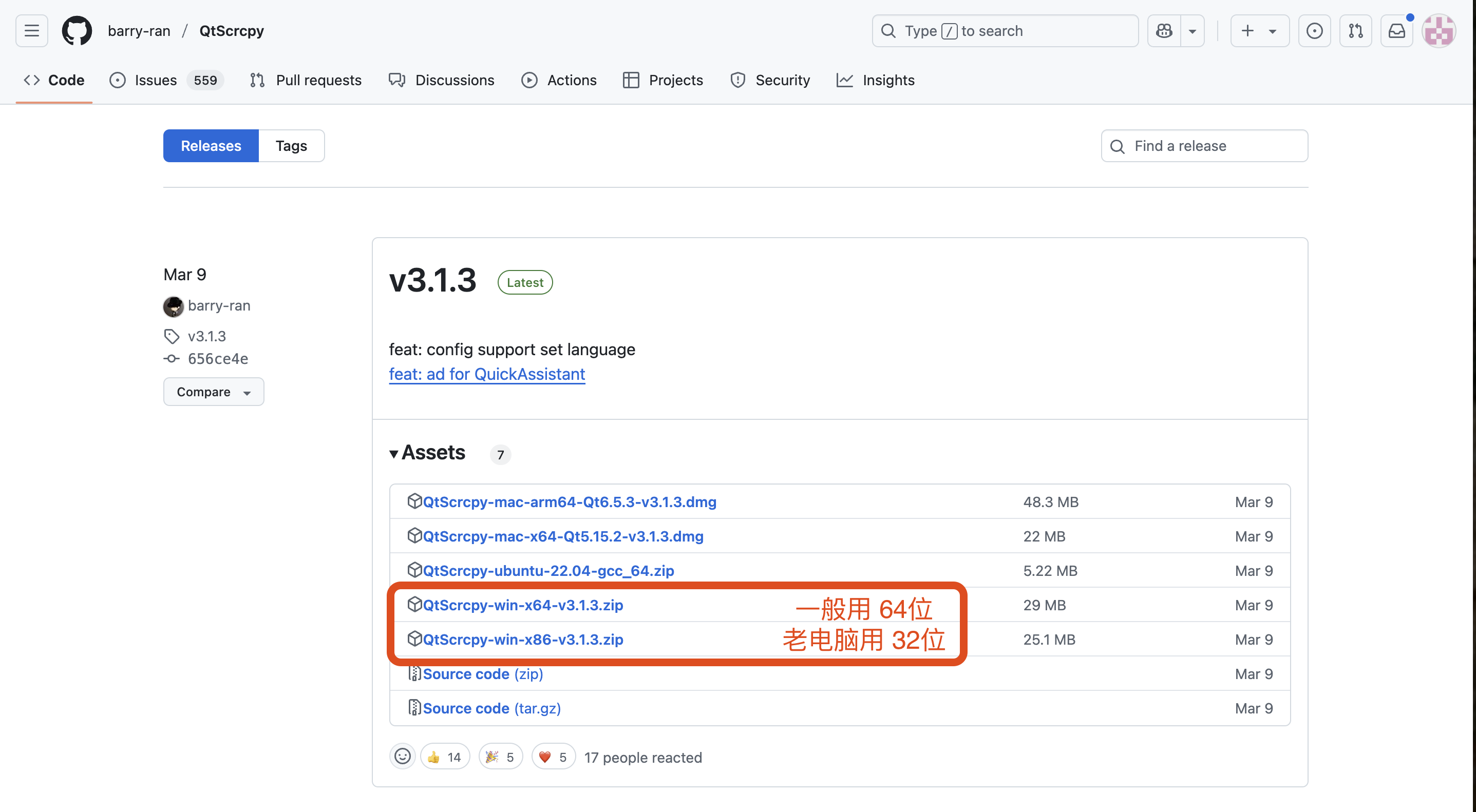
QtScrcpy-win-x64-v3.1.3.zip (Generally, use the 64-bit version for most computers)
QtScrcpy-win-x86-v3.1.3.zip
Latest Version Download Link
http://github.com/barry-ran/QtScrcpy/releases
File List
Alternative Download from This Site
/docs/guide/Guide_ADB/downloads-demo
1. Extract the Files
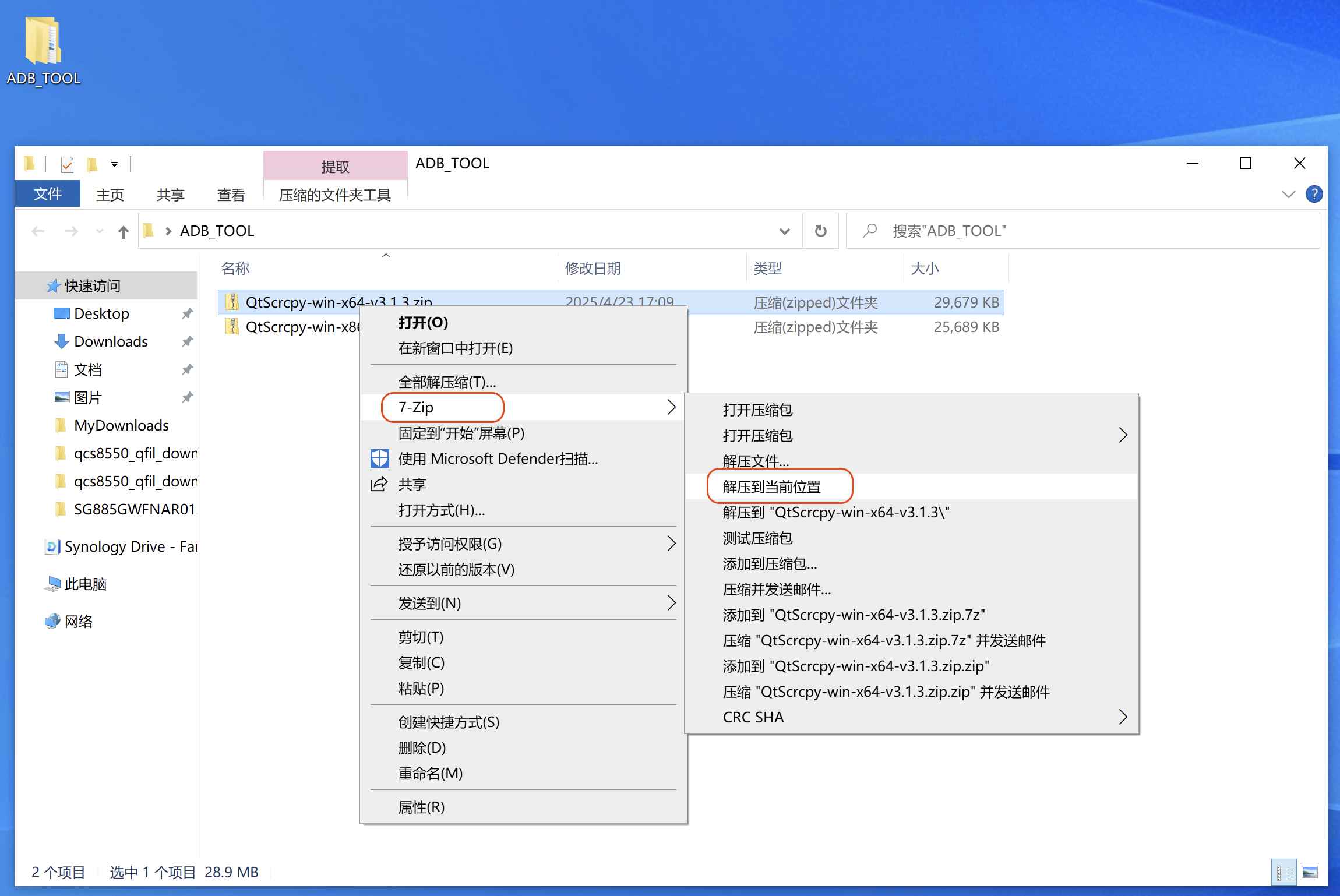
It is recommended to use 7zip, right-click, and select Extract Here.
Click
Extract Here
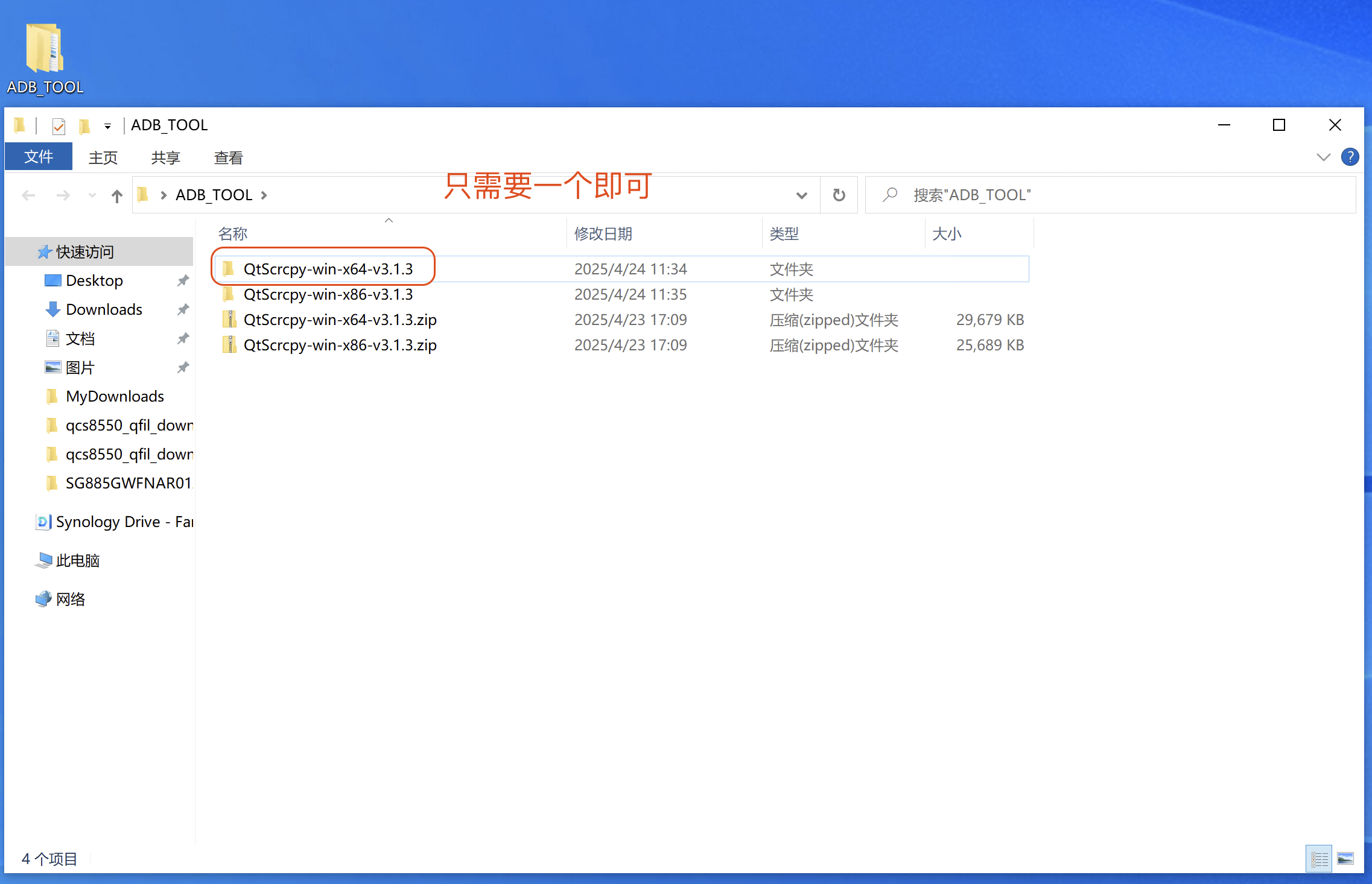
The extracted directories will be as follows:
QtScrcpy-win-x64-v3.1.3 (Generally, use the 64-bit version)
QtScrcpy-win-x86-v3.1.3
Directories after extraction
2. Direct Usage
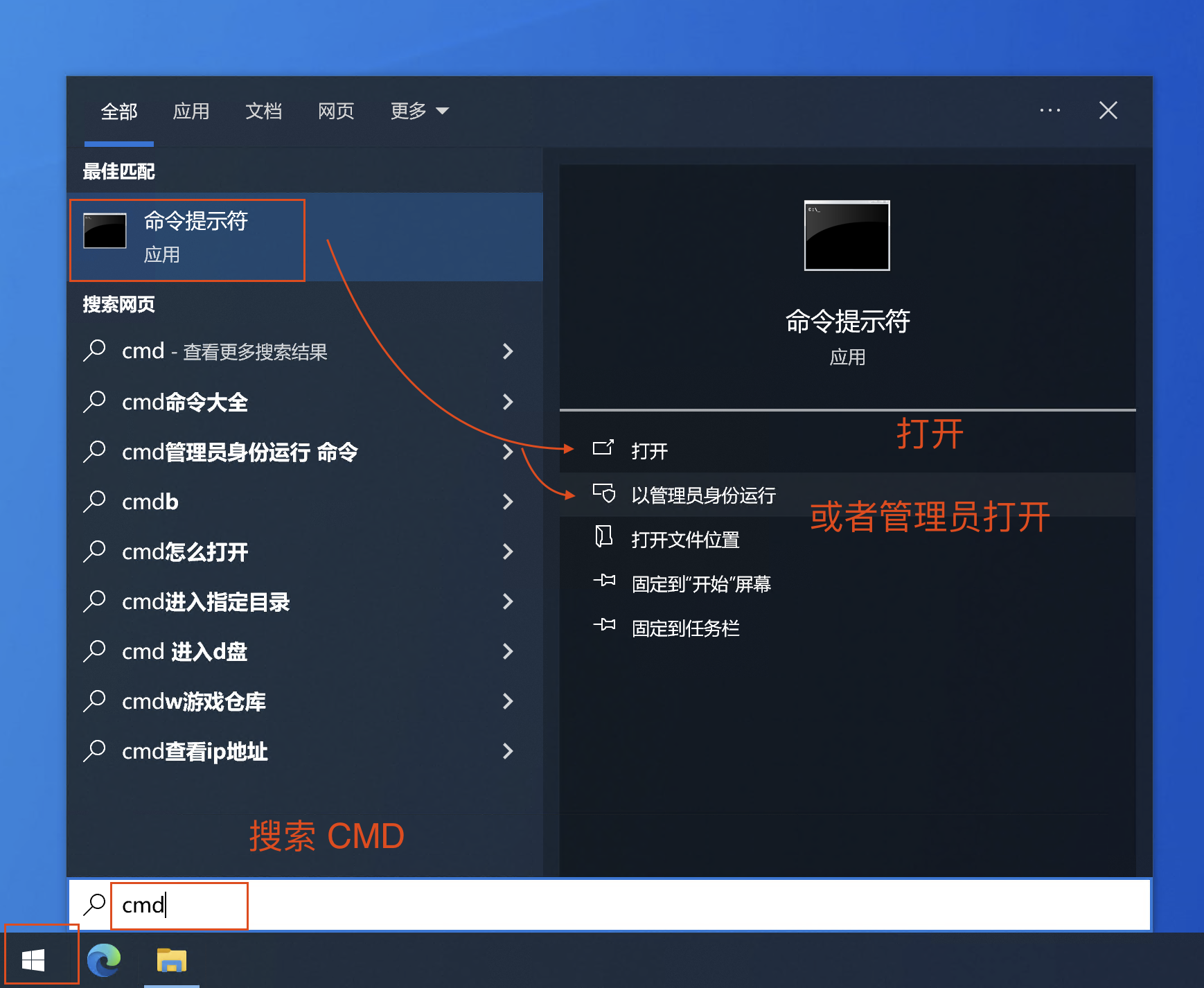
Open the Command Prompt by going to Start - type cmd.
Opening Command Prompt
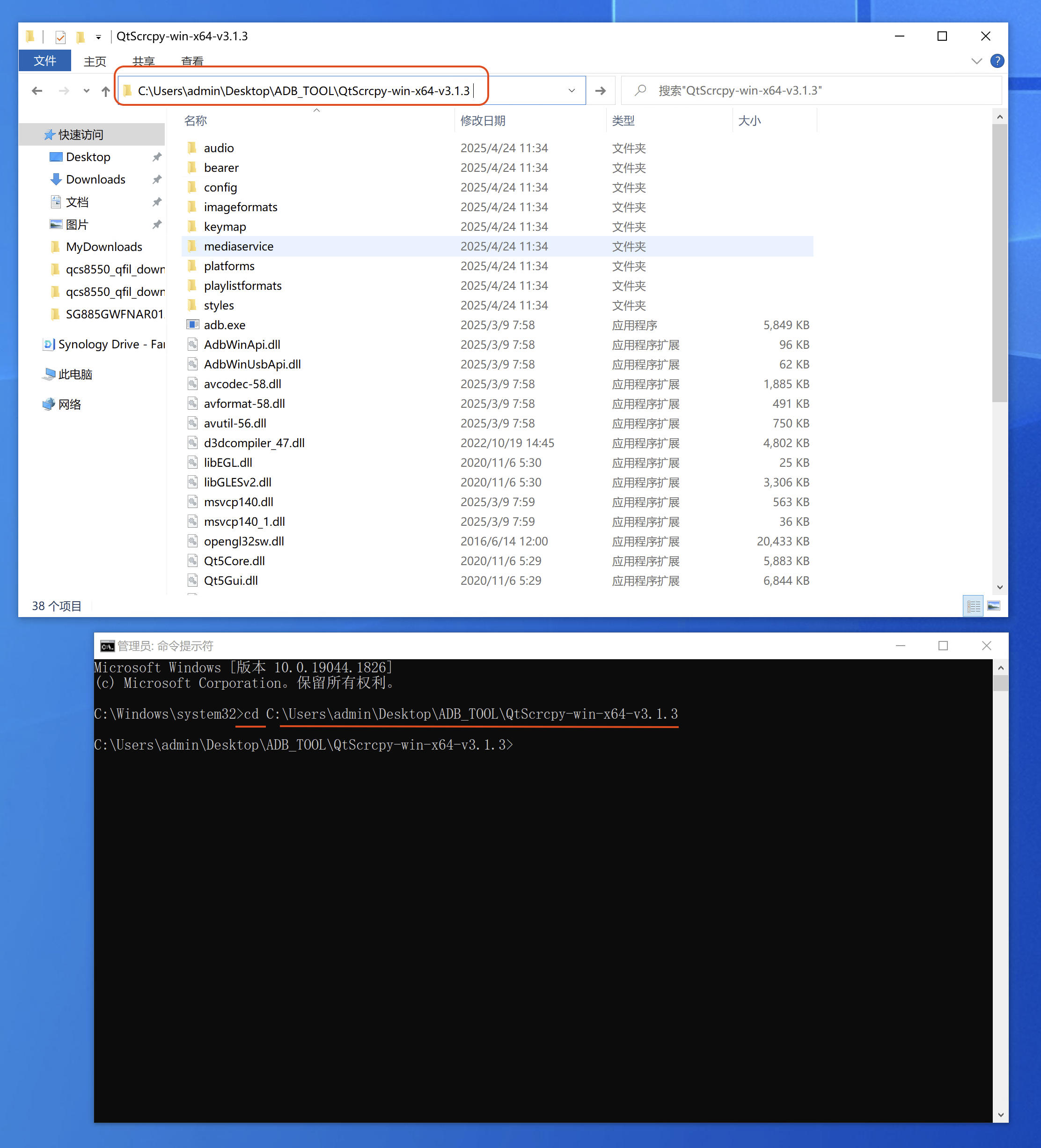
Navigate to the specific path in the Command Prompt, e.g., cd C:\Users\admin\Desktop\ADB_TOOL\QtScrcpy-win-x64-v3.1.3
Navigating to the directory
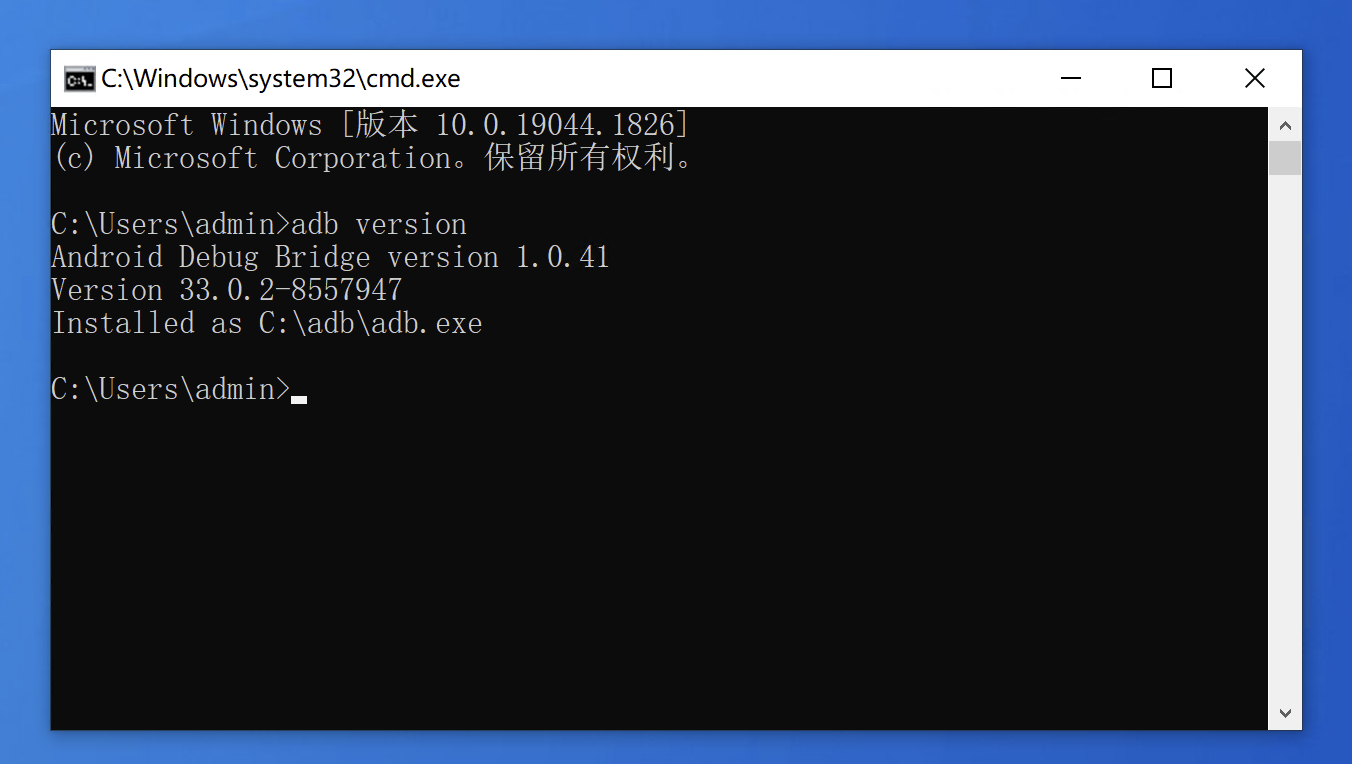
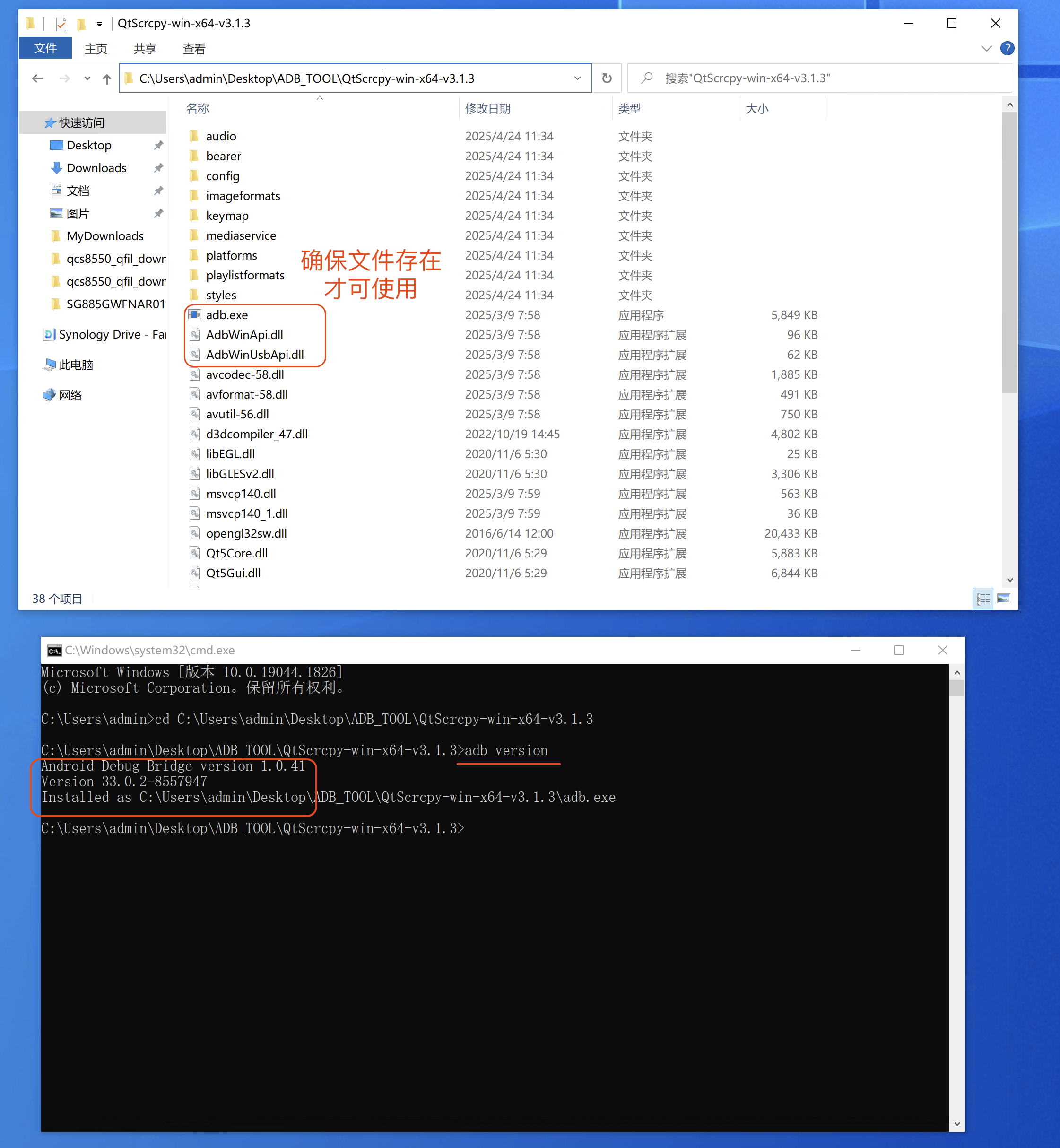
In the Command Prompt, type adb version. Seeing the version information indicates it is ready for use.
Checking ADB version
3. Add Environment Variable
- If you use it frequently, adding it to the environment variables is convenient.
- If you only use it occasionally, adding is not necessary.
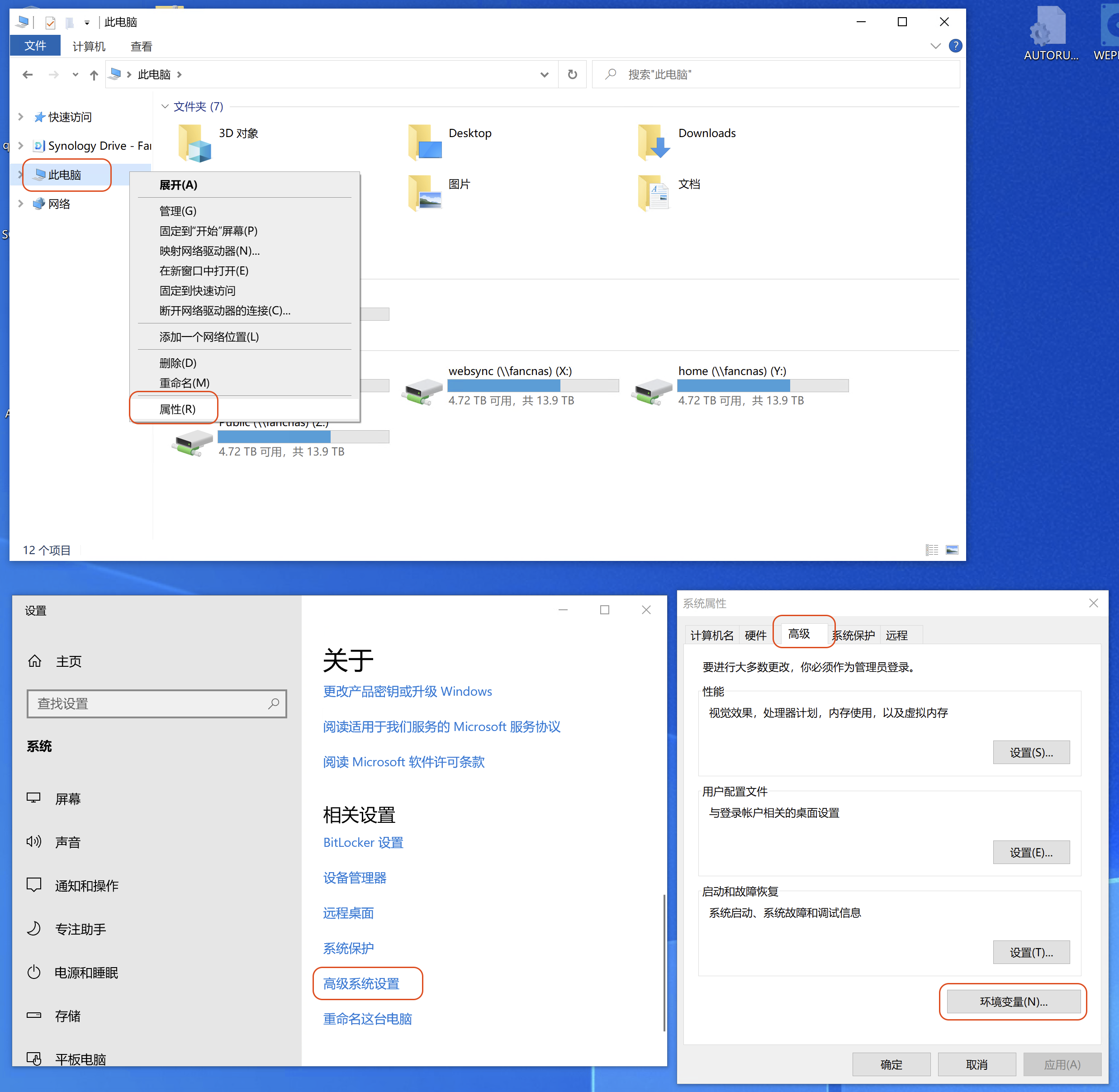
Open This PC - Properties - Advanced system settings - Advanced - Environment Variables (N)
Environment Variables (N)
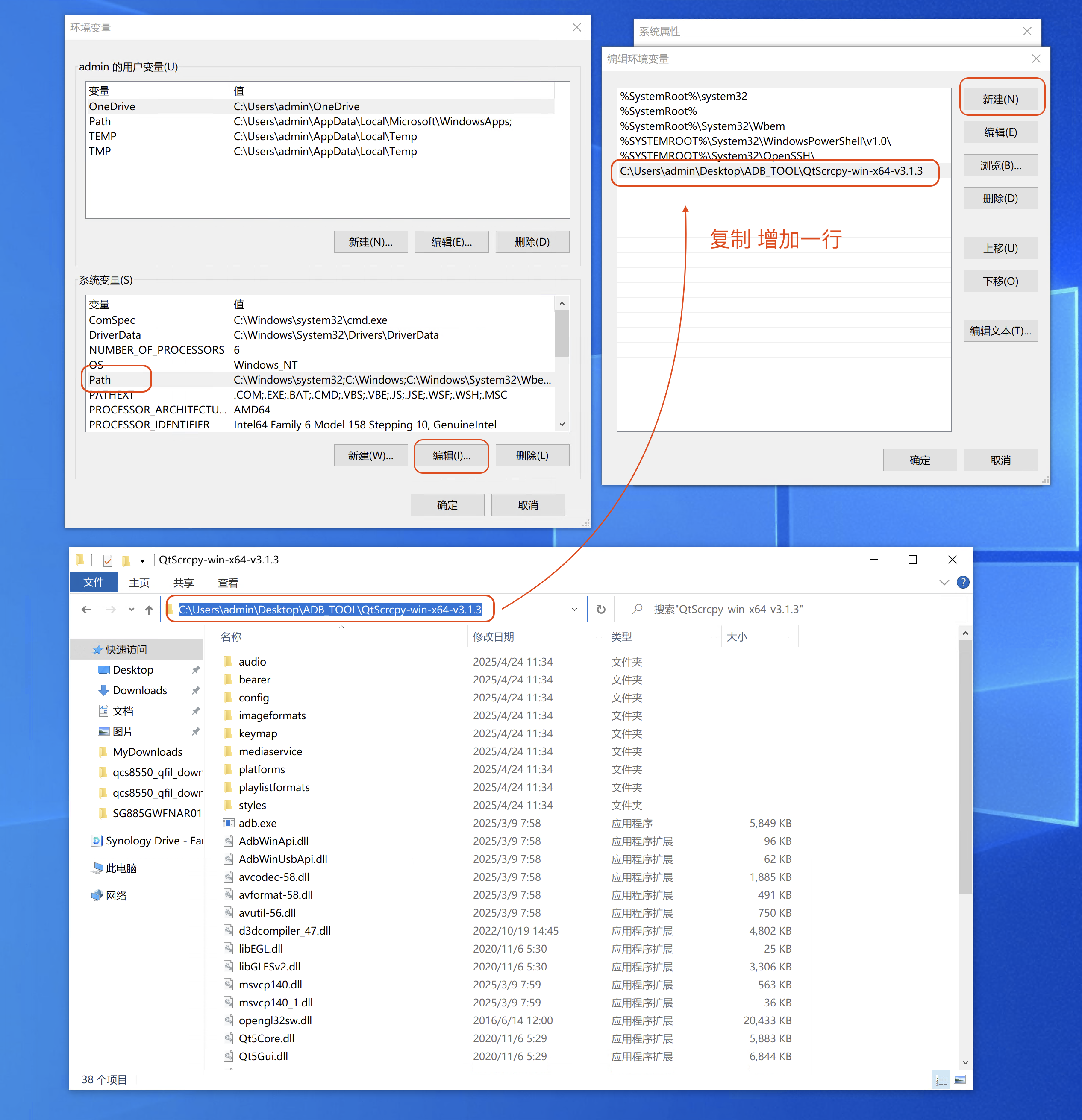
In Environment Variables - System variables - PATH, click Edit.
In the edit environment variable window, add a new line containing the directory where adb.exe is located (e.g., C:\Users\admin\Desktop\ADB_TOOL\QtScrcpy-win-x64-v3.1.3). Click OK to confirm.
Editing the PATH variable
In the Command Prompt, directly type adb version. Seeing the version information indicates it is successfully configured and ready for use from any path.
Version information