Manually Enable Debugging and Pair

Some firmware versions may have debugging mode disabled by default. You can enable it manually.
Wired Debugging
1. Manually Enable Developer Options
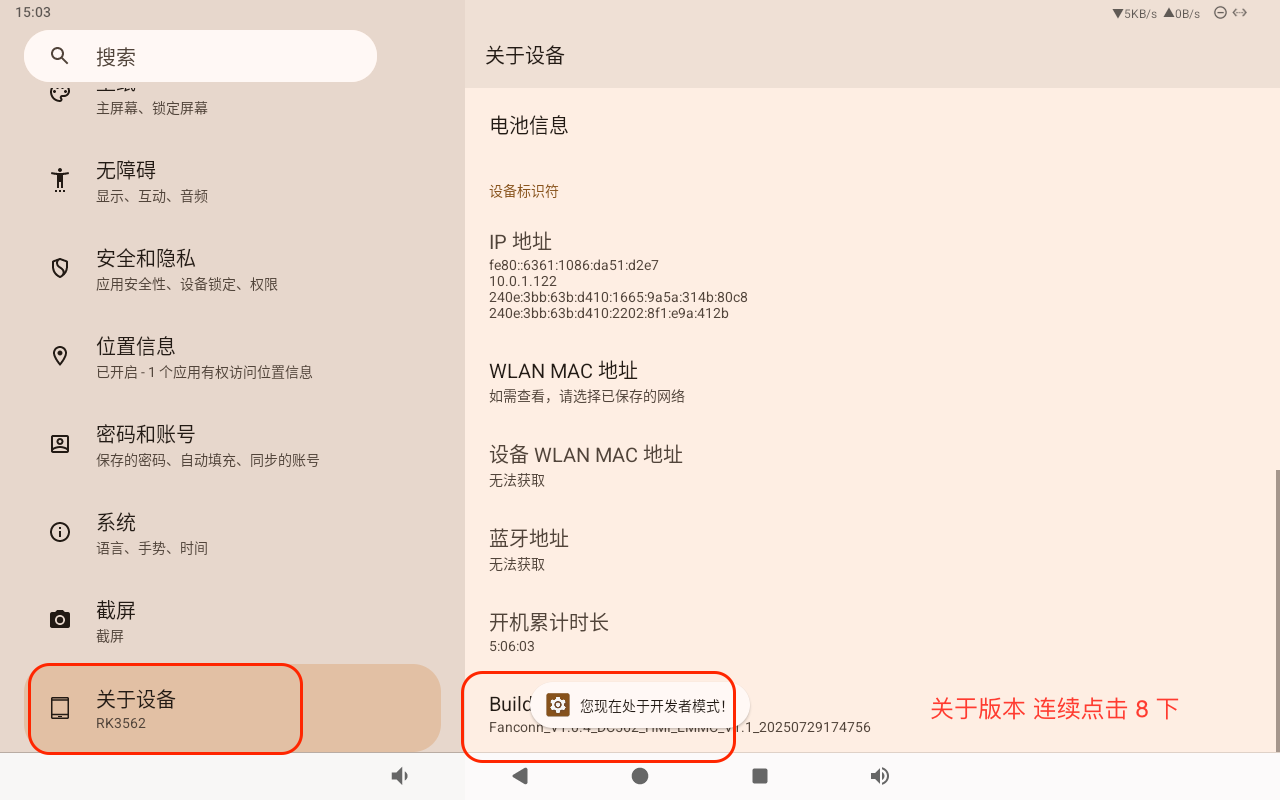
Go to Settings - About Device - Tap on Version continuously 8 times.
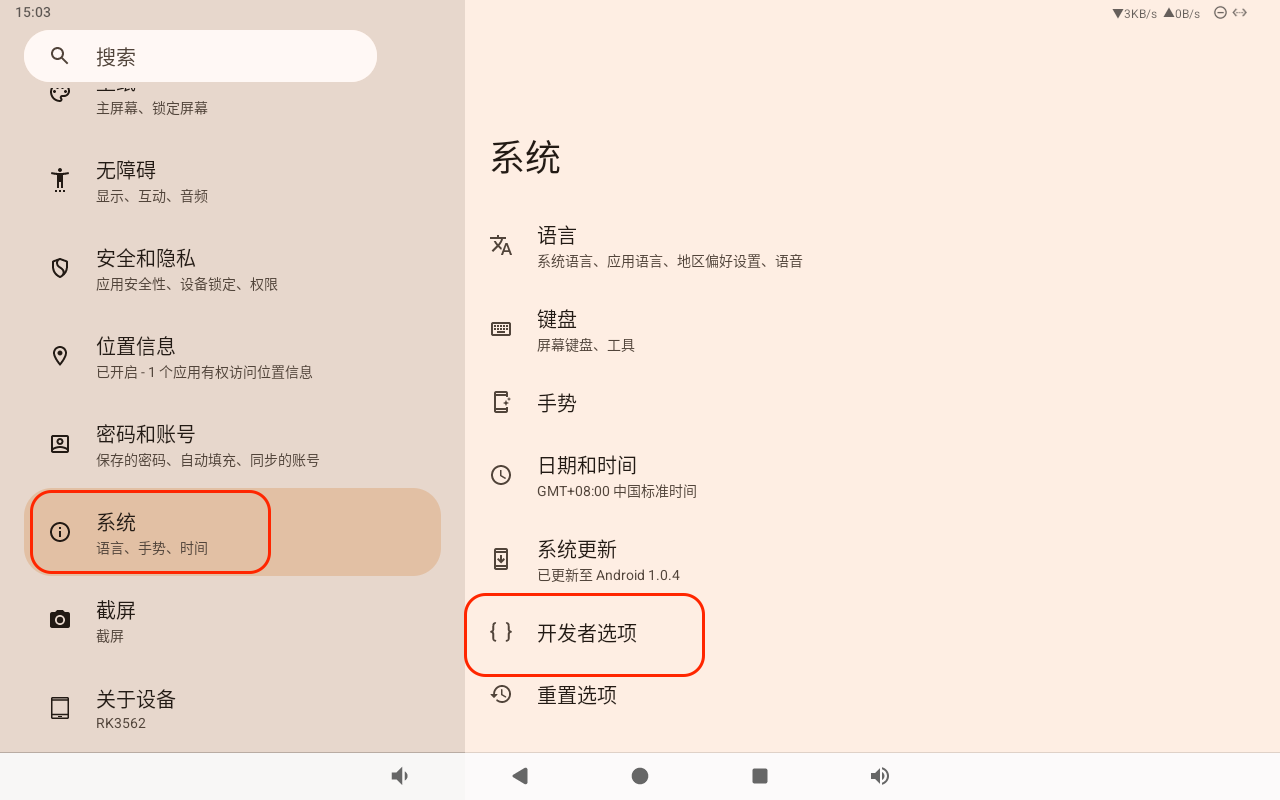
2. Open Developer Options
3. Enable USB Debugging
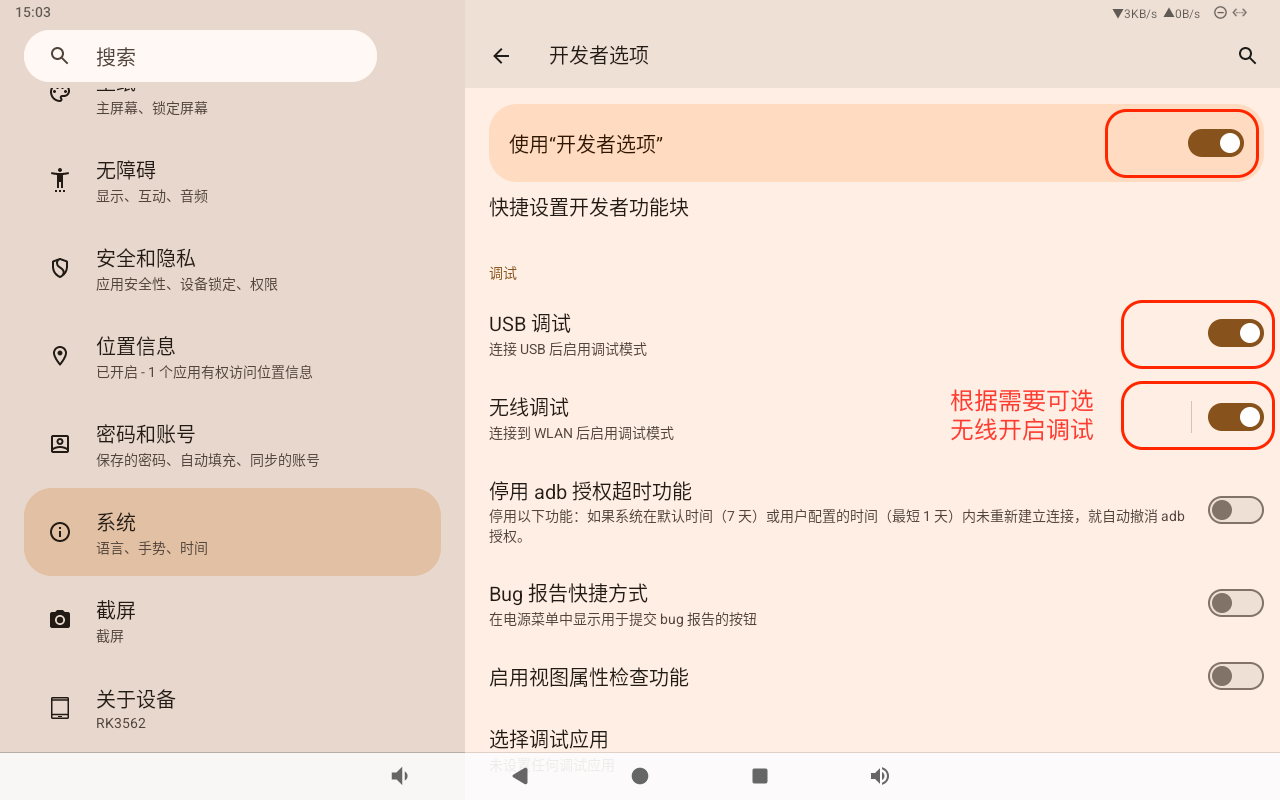
After enabling, simply connect the device using a USB-C cable.
Wireless Debugging
1. Enable Wireless Debugging and Pair
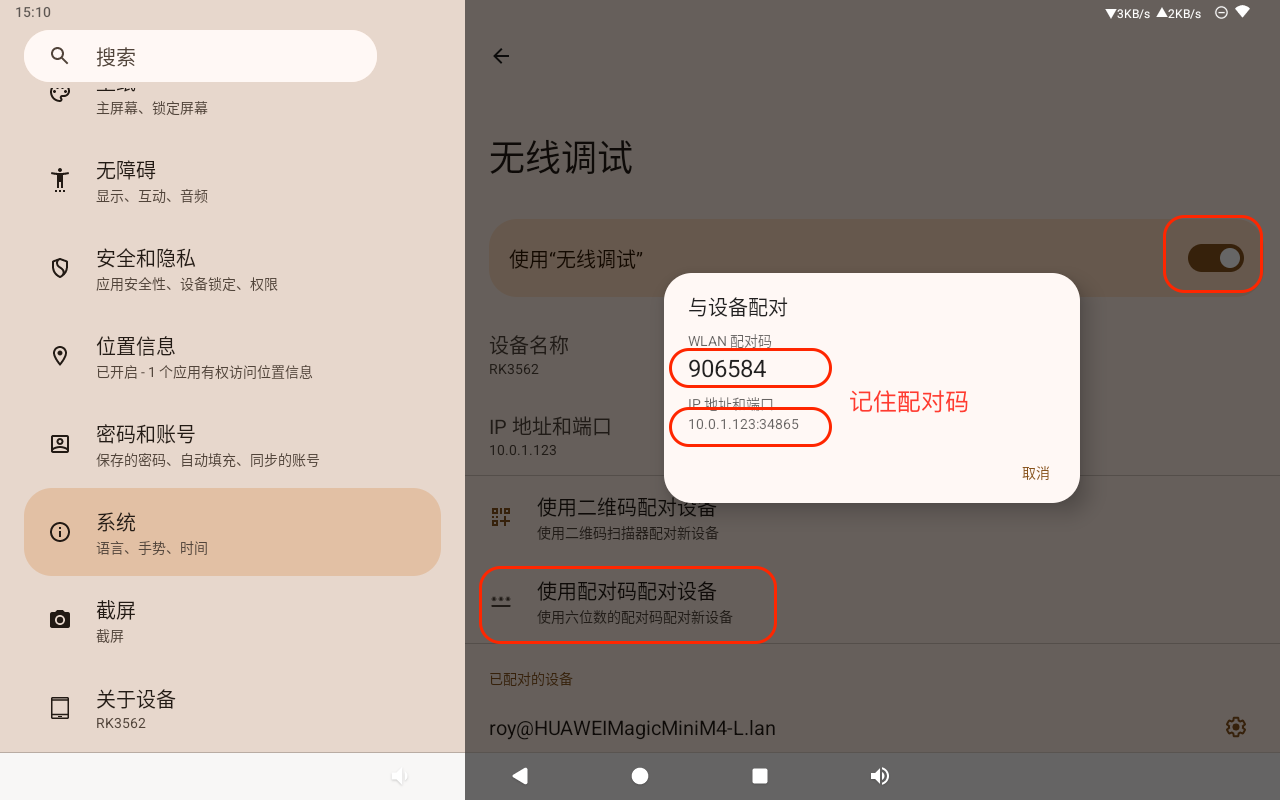
First, enable Wireless Debugging.
Then, select Pair device with pairing code. Note the IP address and port and the Wi-Fi pairing code.
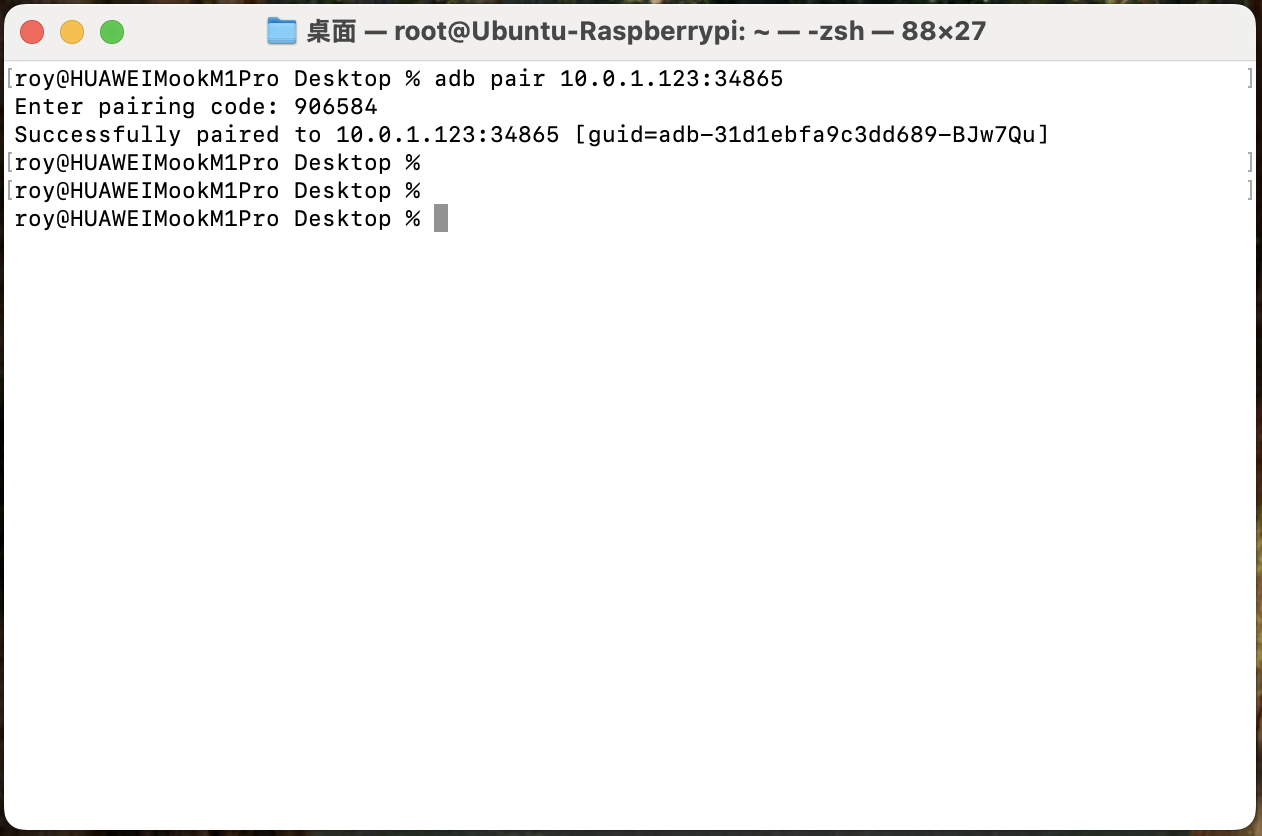
2. Use ADB to Pair on Your Computer
Use the pairing command and enter the code. Successfully indicates successful pairing, and the device is ready for normal use.
adb pair ip:port
# Enter the pairing code shown on the device
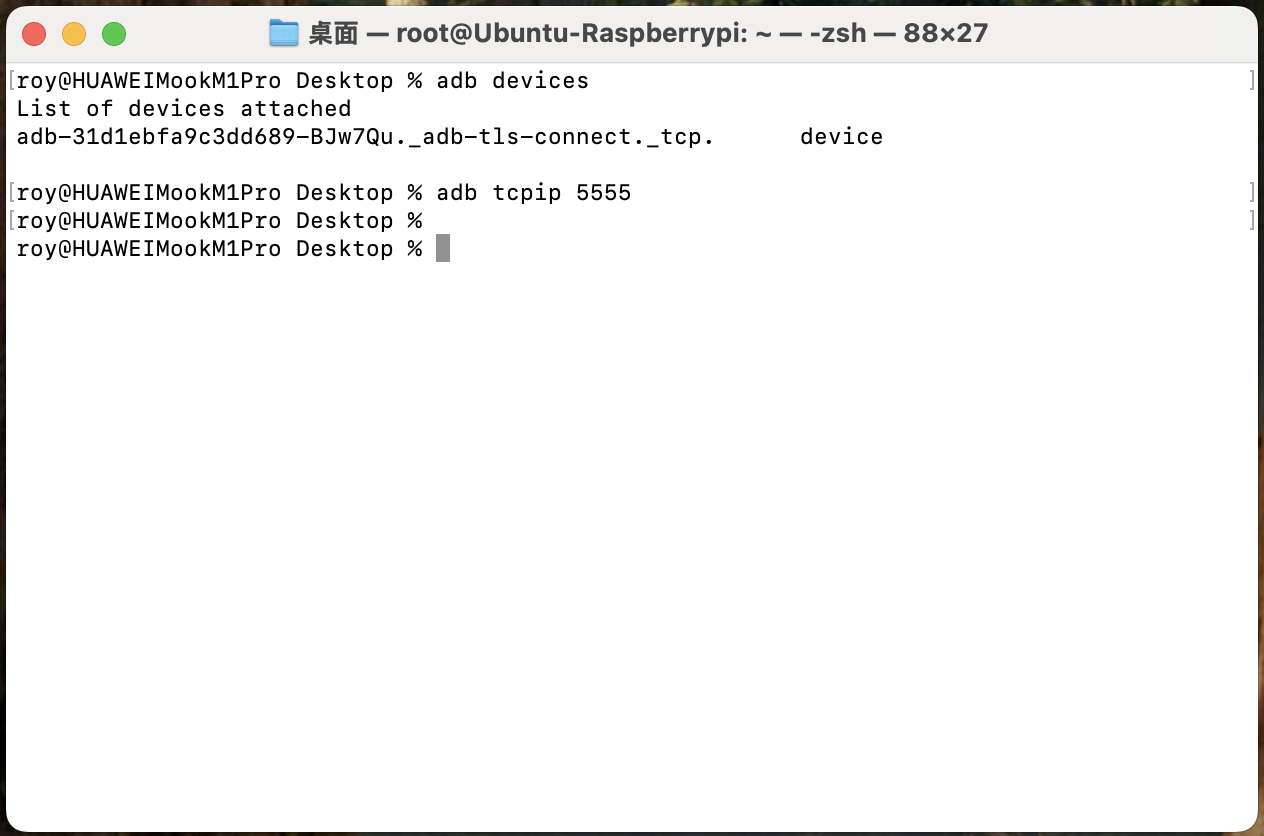
3. View Paired Devices and Open Default Port 5555
adb devices

adb tcpip 5555
4. Finally, Connect Using the Default Port
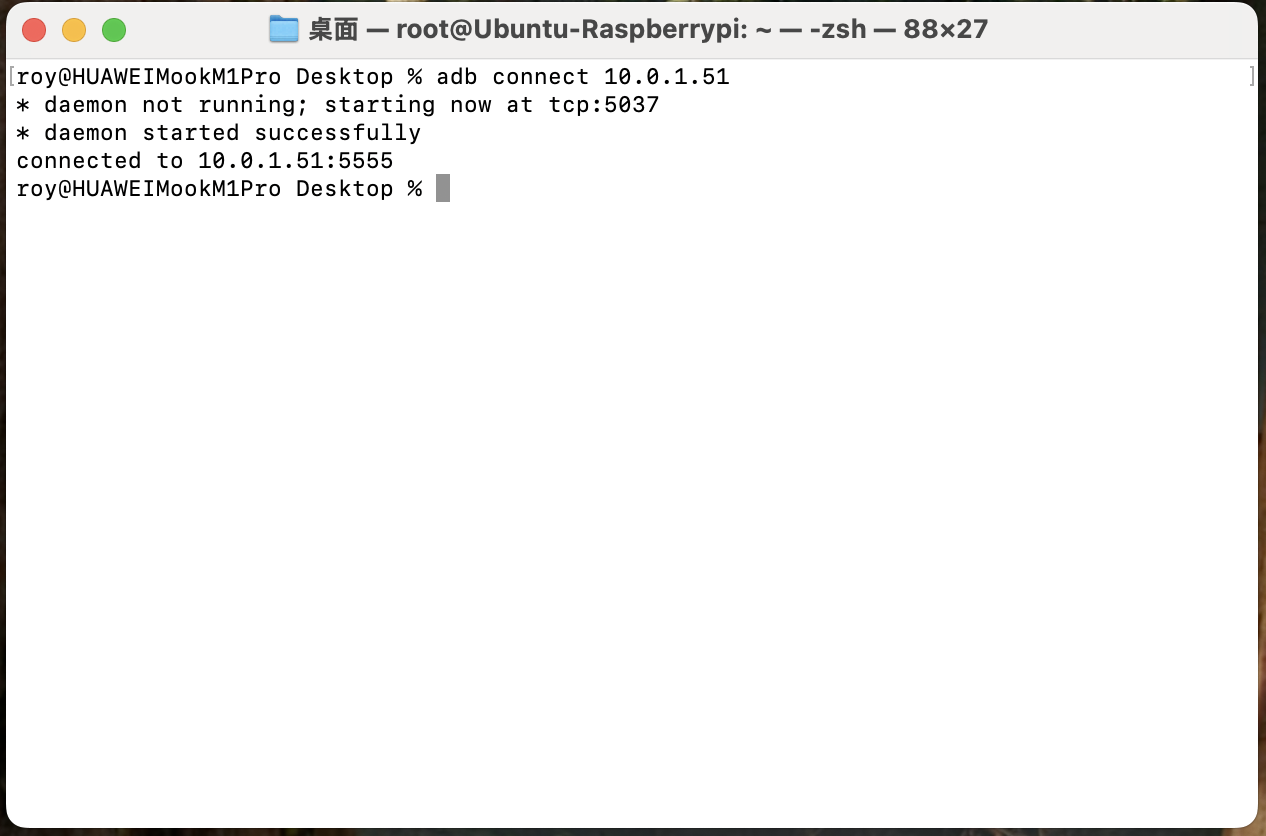
adb connect ip