Buildroot - RKNN RockX Debugging

This document guides you through model testing on the RV1126/RV1109 AI camera. The test involves two main applications:
- rkmedia_vi_rknn_venc_rtsp_test: RTSP streaming test based on RKNN models
- rkmedia_vi_rockx_venc_rtsp_test: RTSP streaming test based on RockX models
Preparation
Before testing, you need to prepare the following file:
- Model file:
rknn_model.zip
Download link - Baidu Netdisk
rknn_model.zip
Download link - download from this site -
02.软件资料-rknn_model.zip
Its contents are as follows:
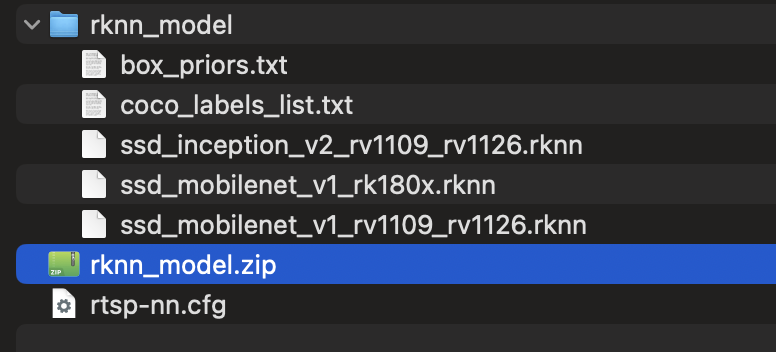
Upload the model files to the device This is mandatory!
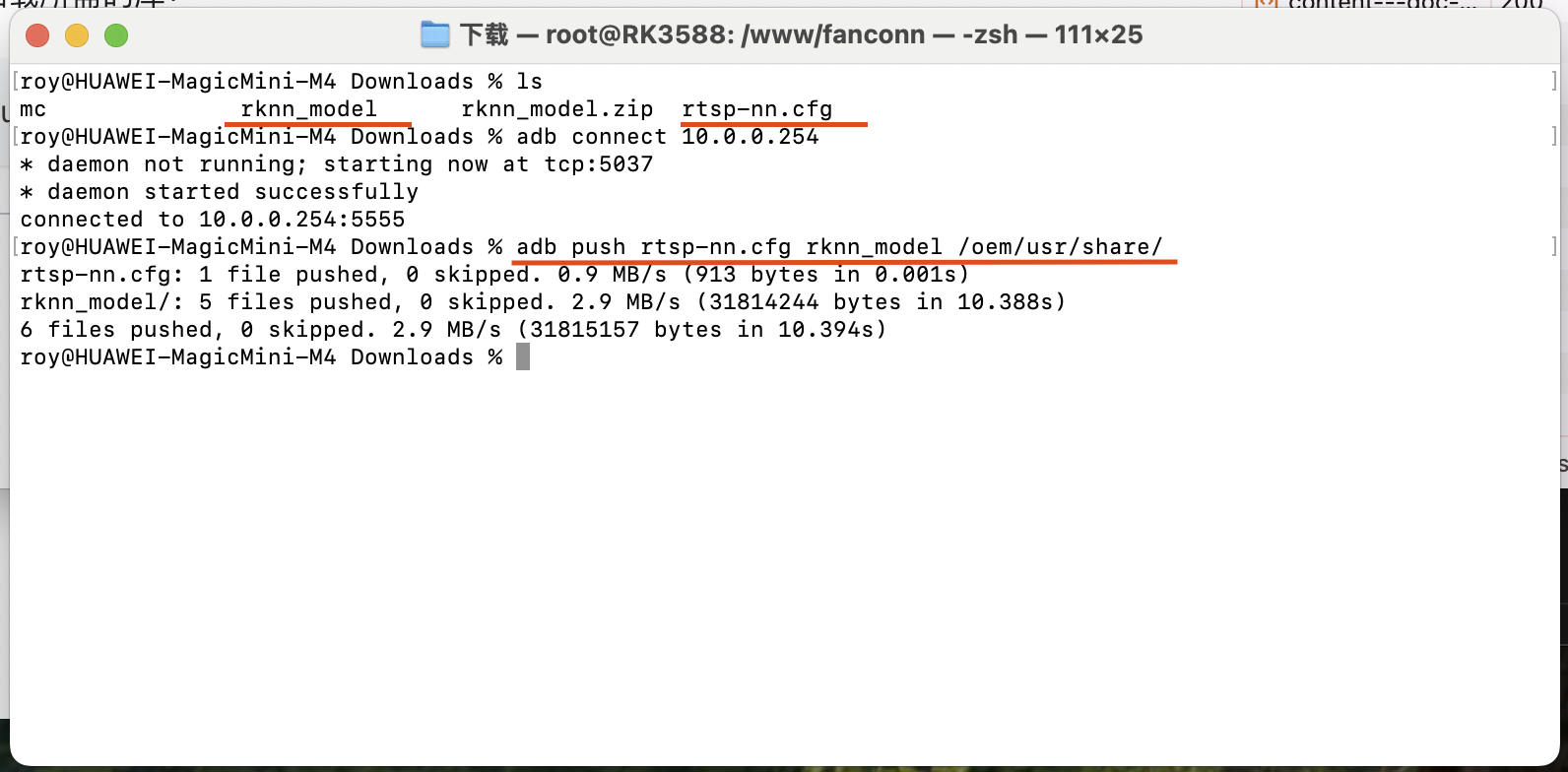
Upload the downloaded model files to the /oem/usr/share/ directory on the device:
adb push rtsp-nn.cfg rknn_model /oem/usr/share/
Set the environment variables This is mandatory!
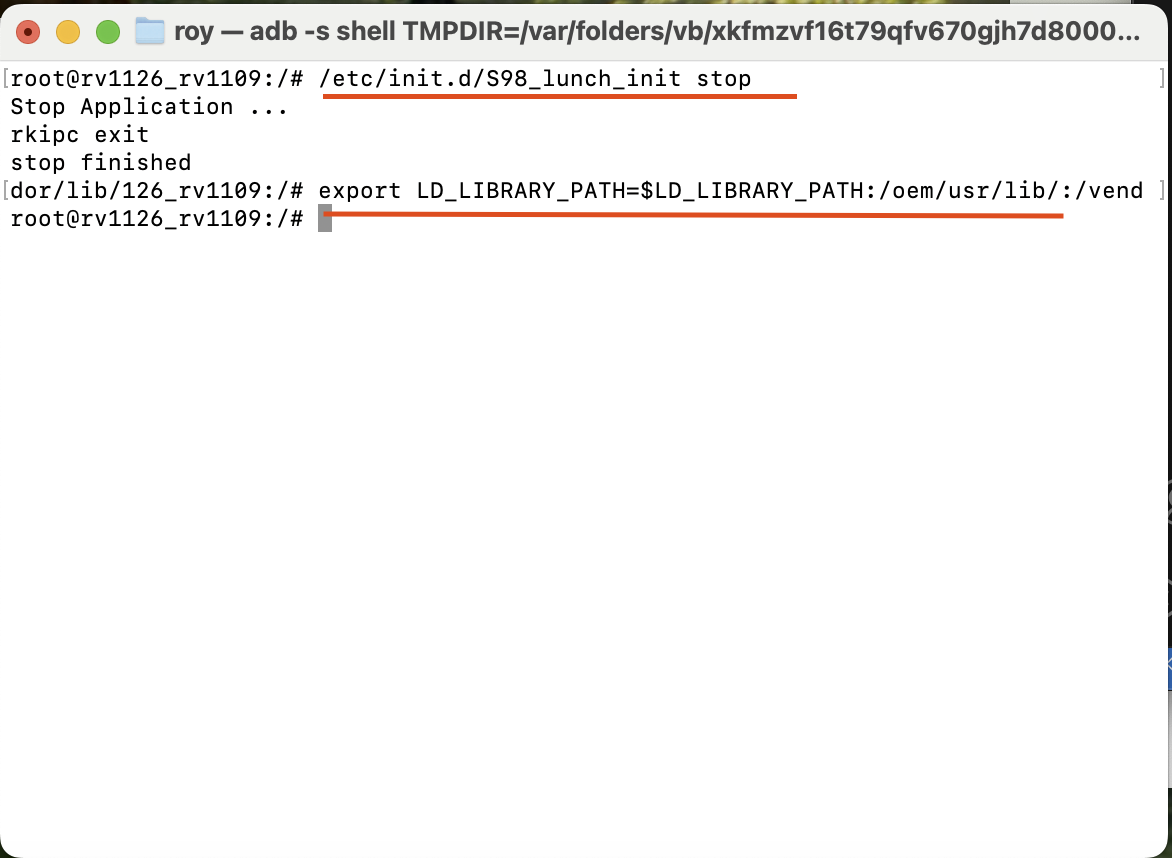
Before running the test, you need to set the environment variables and stop the IPC network camera so that the program can load the required libraries correctly:
/etc/init.d/S98_lunch_init stop

export LD_LIBRARY_PATH=$LD_LIBRARY_PATH:/oem/usr/lib/:/vendor/lib/
Running the Tests
1. Test based on an RKNN model
Run the following command to start the RTSP streaming test based on an RKNN model:
/oem/usr/bin/rkmedia_vi_rknn_venc_rtsp_test \
    -a /etc/iqfiles/ \
    -c /oem/usr/share/rtsp-nn.cfg \
    -b /oem/usr/share/rknn_model/box_priors.txt \
    -l /oem/usr/share/rknn_model/coco_labels_list.txt \
    -p /oem/usr/share/rknn_model/ssd_mobilenet_v1_rv1109_rv1126.rknn
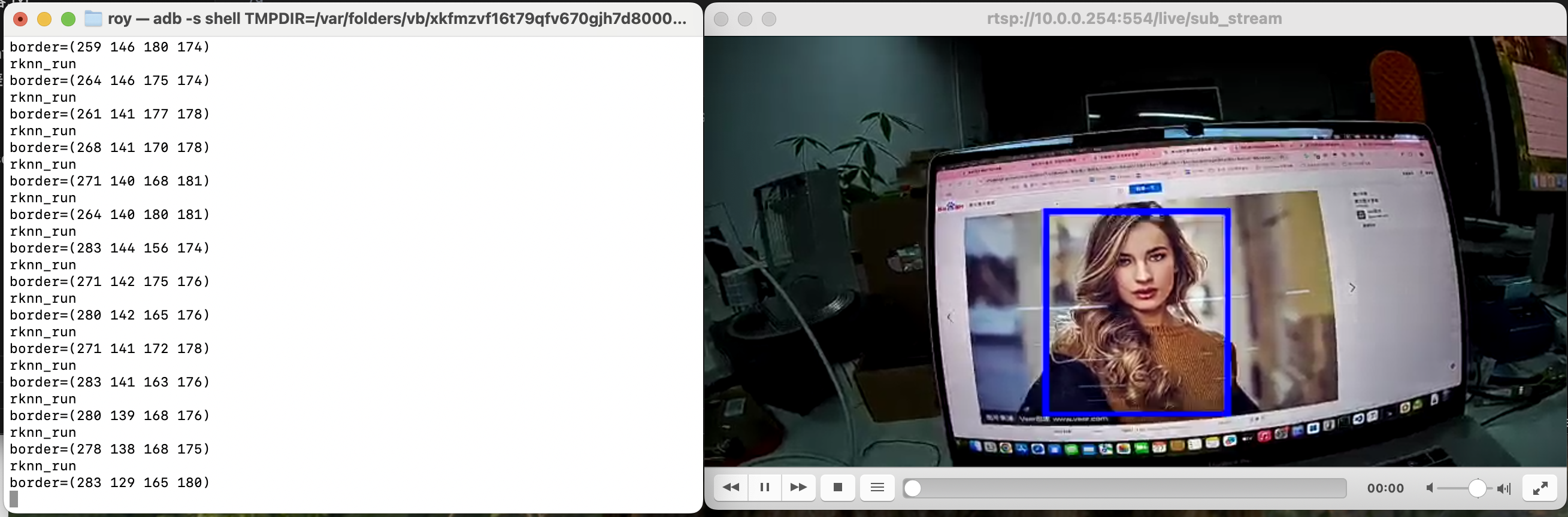
Checking the streaming result
rtsp://10.0.0.125:554/live/sub_stream
Use the dynamic IP obtained in the previous steps
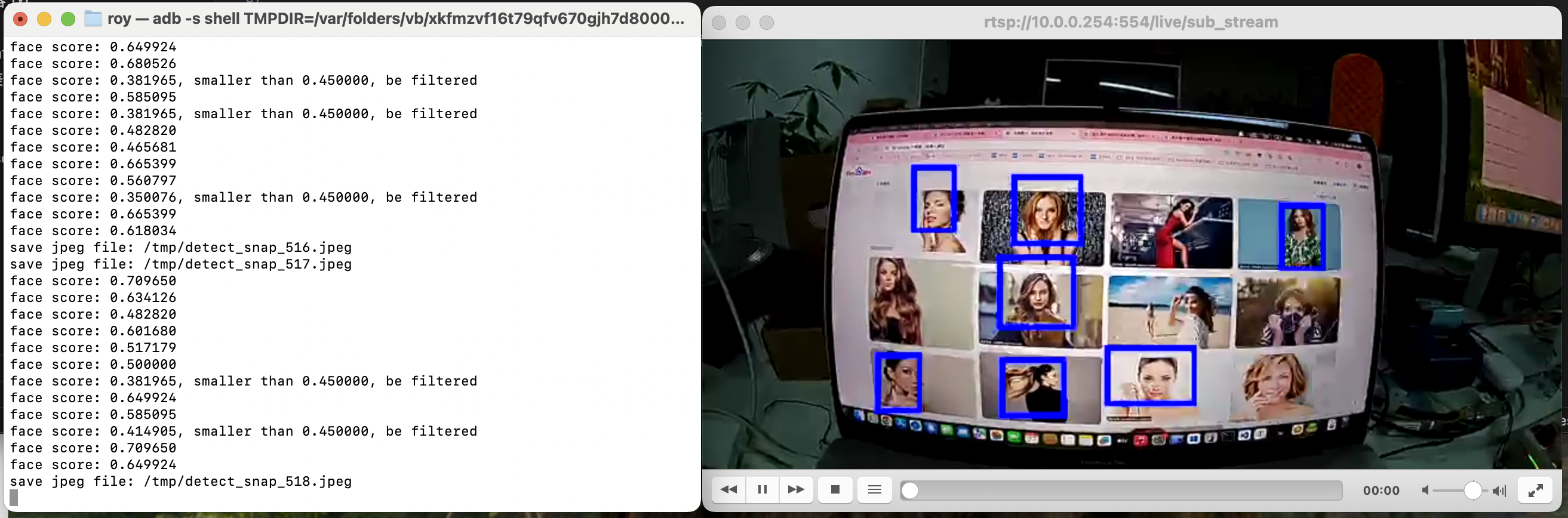
2. Test based on a RockX model
Run the following command to start the RTSP streaming test based on a RockX model:
/oem/usr/bin/rkmedia_vi_rockx_venc_rtsp_test \
  -a /etc/iqfiles/ \
  -c /oem/usr/share/rtsp-nn.cfg \
  -l /oem/usr/share/rknn_model/coco_labels_list.txt \
  -t 0.5
Checking the streaming result
rtsp://10.0.0.125:554/live/main_stream (high-definition stream)
rtsp://10.0.0.125:554/live/sub_stream (includes model recognition results)
Use the dynamic IP obtained in the previous steps
Video latency! Special note!
Please refer to FAQ - Video latency! Special note!
Common Commands
Start streaming
. /oem/usr/bin/rkmedia_vi_venc_rtsp_test -a /etc/iqfiles/ -w 1920 -h 1080 -d rkispp_scale0 &

Capture frames
rkmedia_vi_get_frame_test  -a /etc/iqfiles/ -w 1920 -h 1080 -d rkispp_scale0 -o /tmp/1080p.nv12 -c 10

Record video
rkmedia_vi_venc_test  -a /etc/iqfiles/ -w 1920 -h 1080 -d rkispp_scale0 -o /tmp/1080p.h264 -c 100