Quick Upgrade

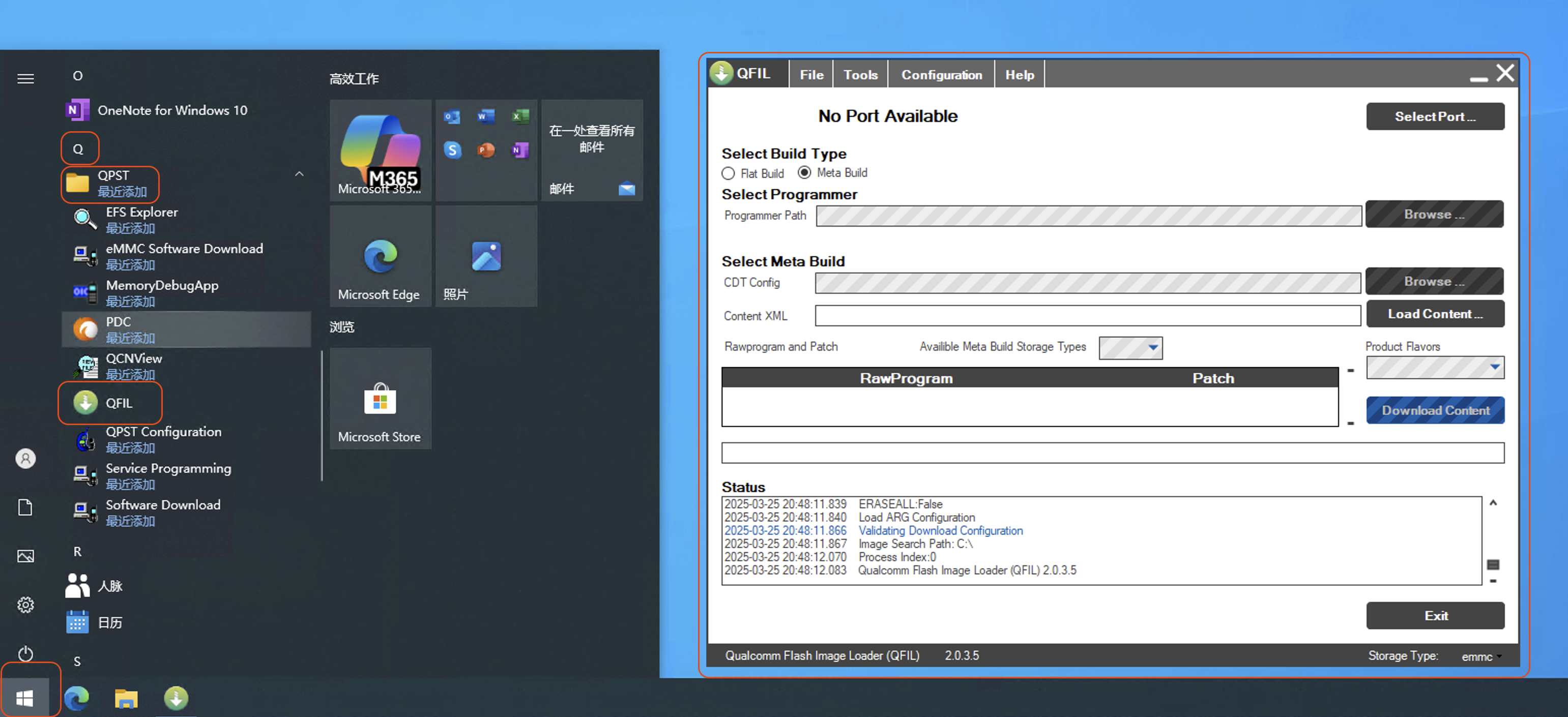
1. Open the Upgrade Software
Open Start Menu \ QPST \ QFIL to launch the upgrade software.
QFIL Interface
2. Prepare Firmware
2.1 Select the Firmware
-
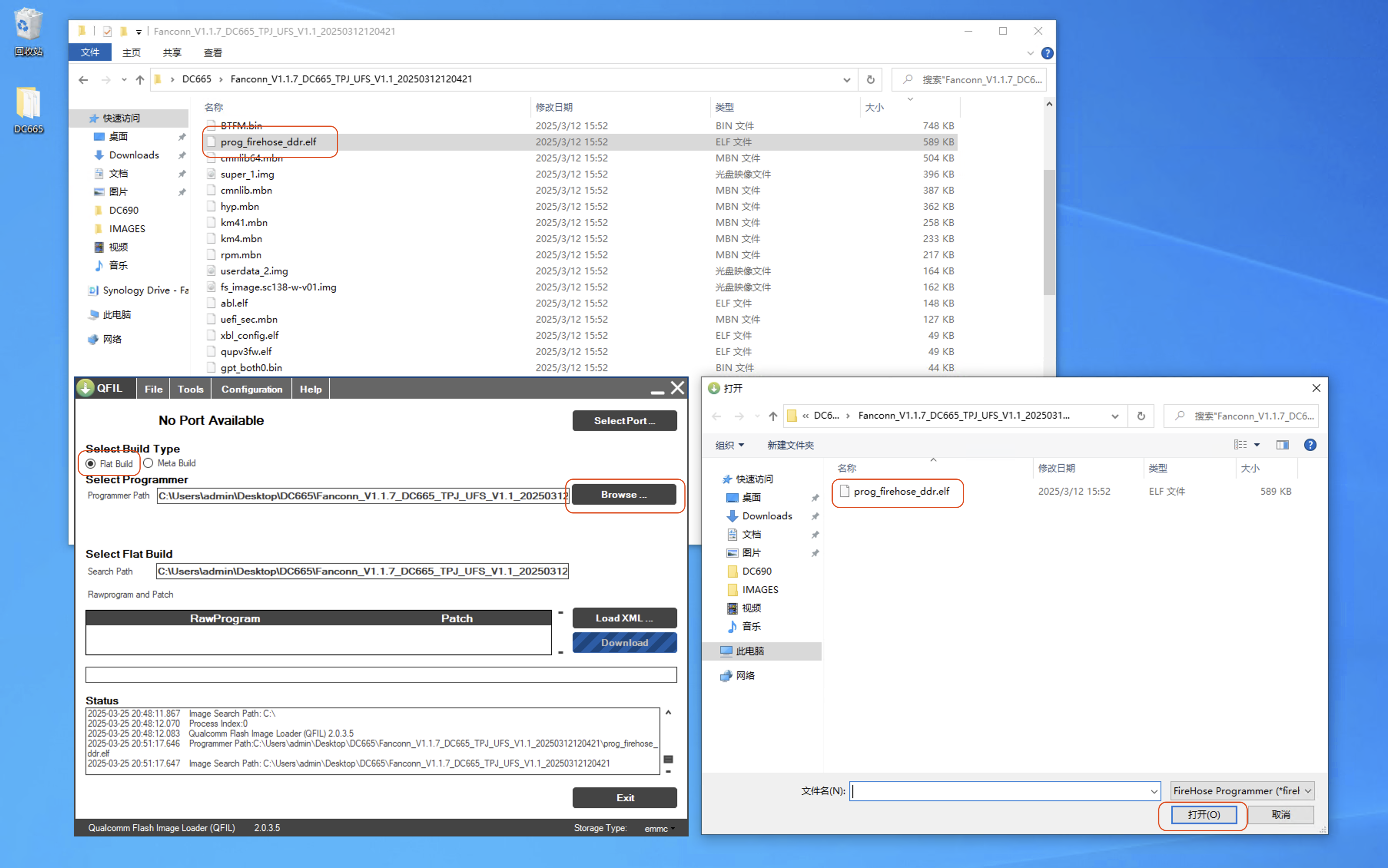
Select
Flat Build- ClickBrowse ... -
Navigate to
Fanconn_V1.1.7_DC665_TPJ_UFS_V1.1_20250312120421, selectprog_firehose_ddr.elf, and clickOpen
Select
prog_firehose_ddr.elf
2.2 Select Partition Files
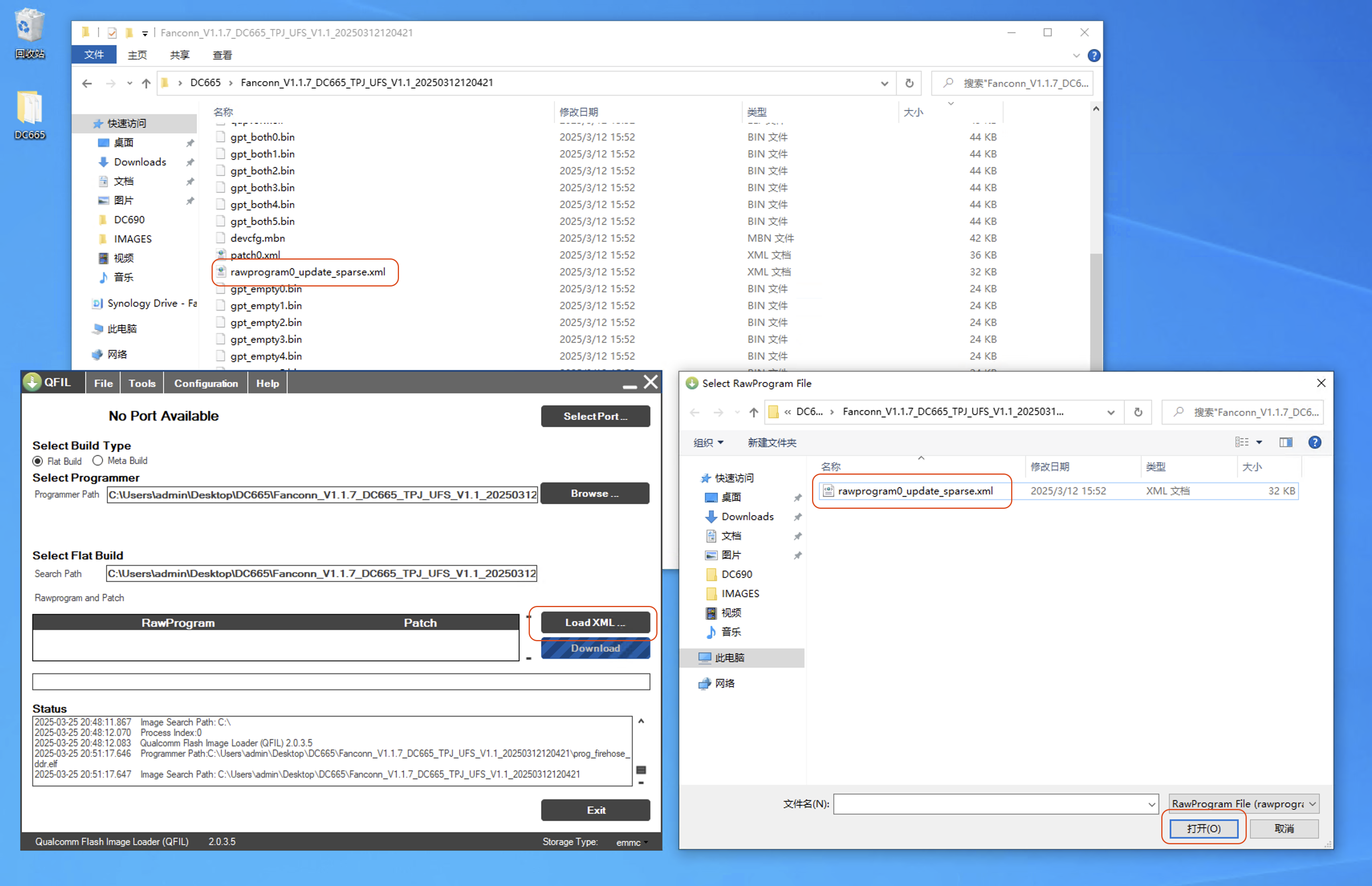
- Click
Load XML ...again, navigate toFanconn_V1.1.7_DC665_TPJ_UFS_V1.1_20250312120421, selectrawprogram0_update_sparse.xml, and clickOpen
Select
rawprogram0_update_sparse.xml
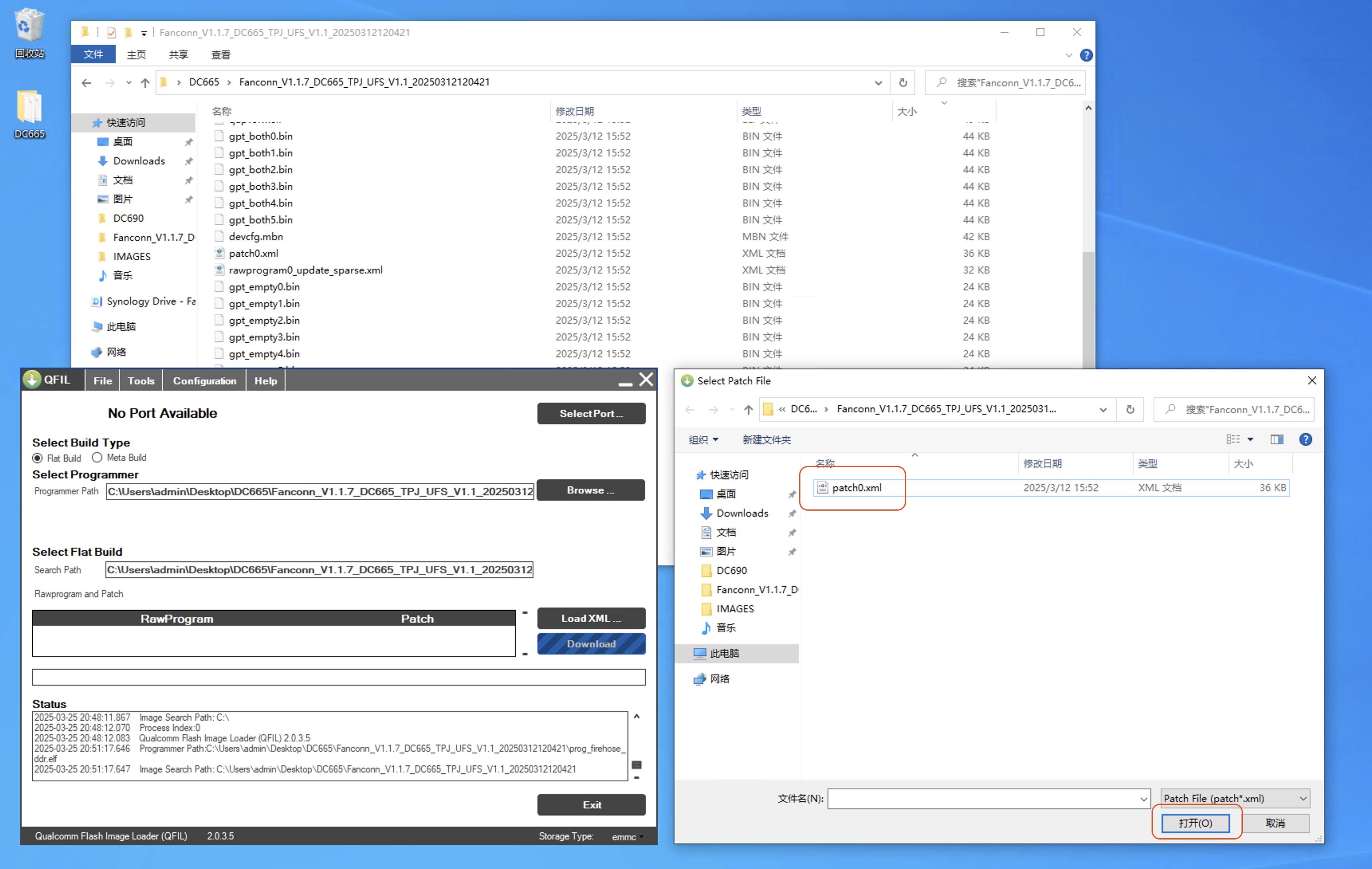
- In the pop-up window, navigate again to
Fanconn_V1.1.7_DC665_TPJ_UFS_V1.1_20250312120421, selectpatch0.xml, and clickOpen
Select
patch0.xml