Upgrade Preparation

0. Please download the corresponding firmware and prepare a USB drive first
If the device cannot recognize the USB drive and prompts for formatting, be cautious with data and do not format it arbitrarily
It is recommended to prepare a dedicated USB drive
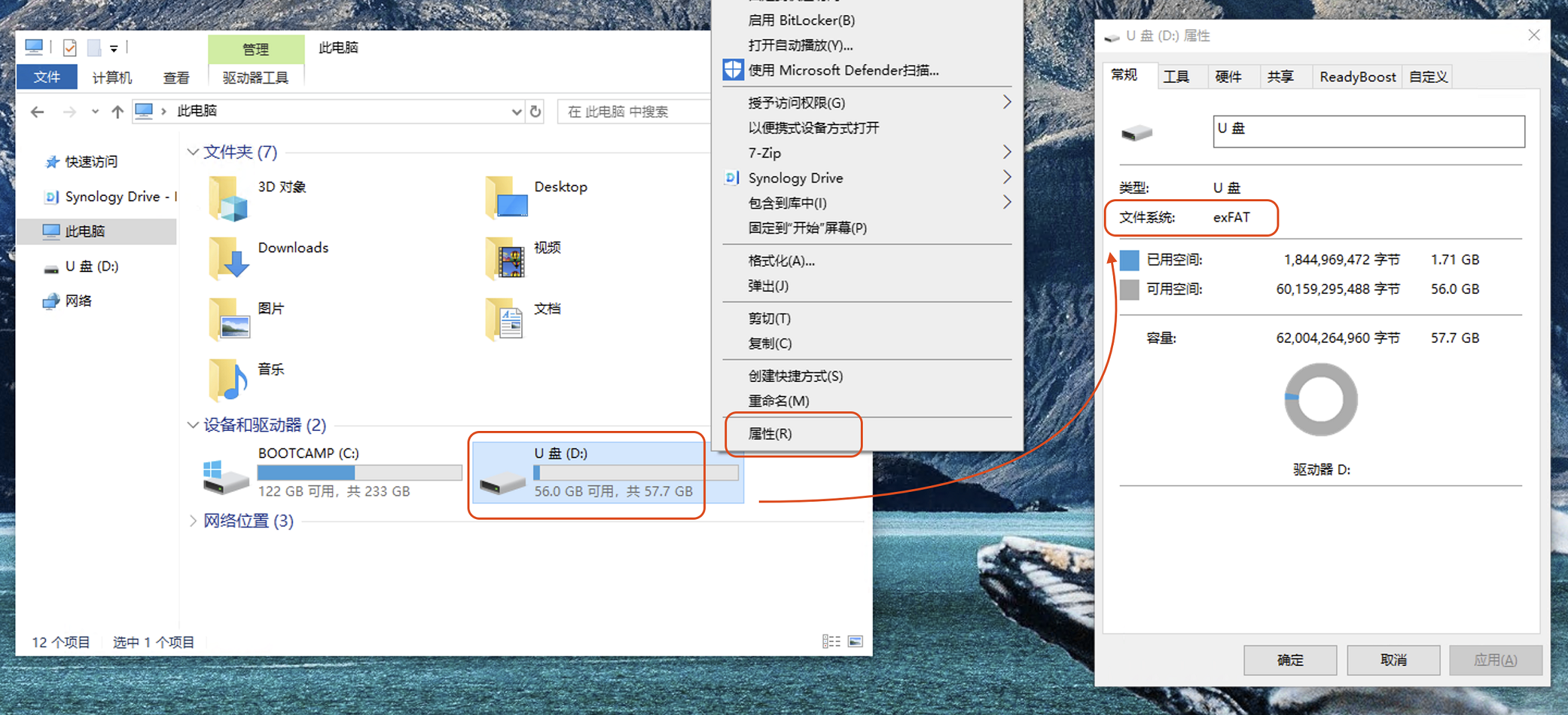
1. Prepare a FAT32 or exFAT USB drive
Confirm the format
exFAT
2. Extract and copy the files
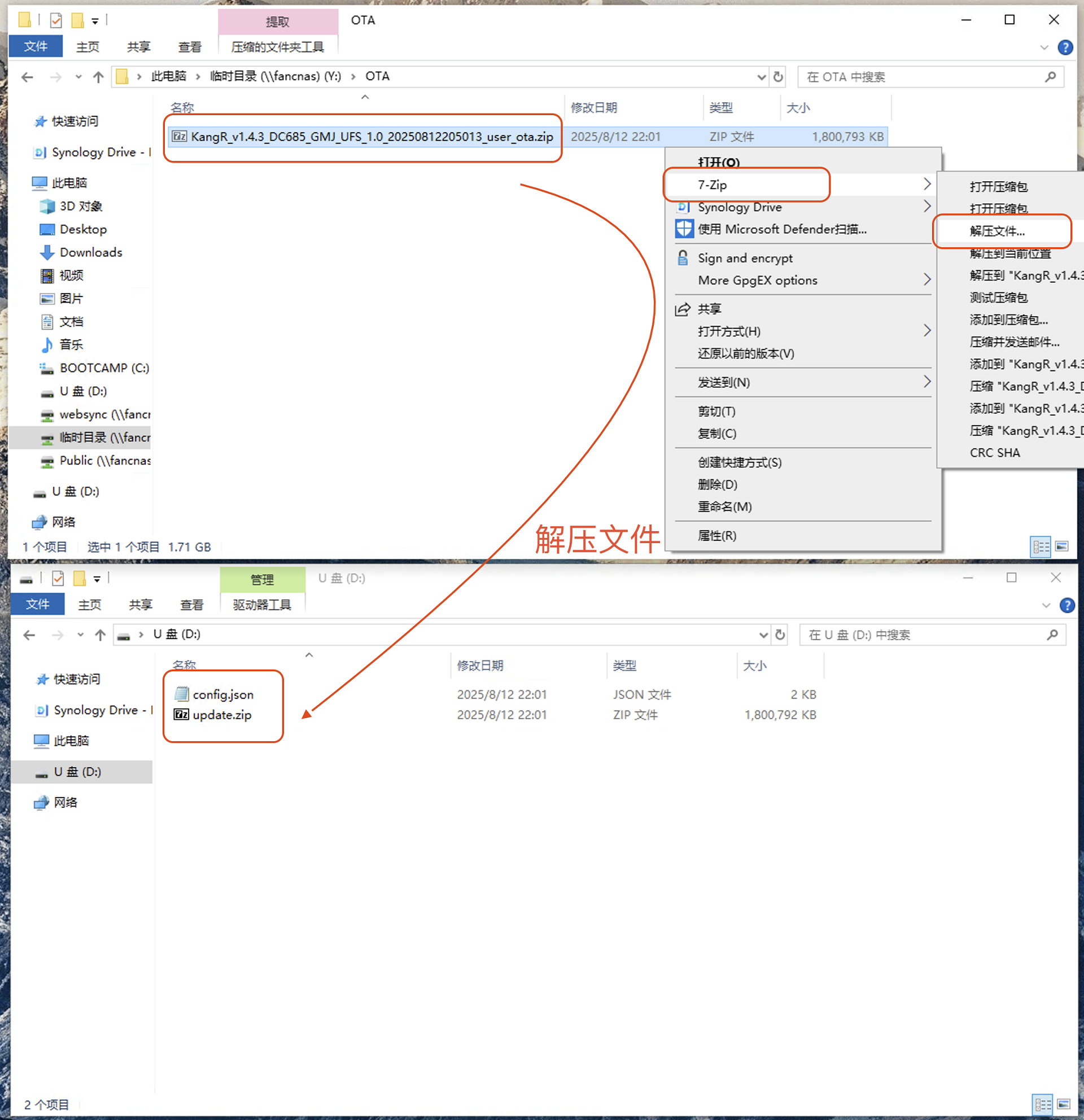
Extract the OTA upgrade file
Using
KangR_v1.4.3_DC685_GMJ_UFS_1.0_20250812205013_user_ota.zipas an exampleExtract
config.jsonandupdate.zipand copy them to the root directory of the USB drive (For RK series, only the )update.zipfile is needed
Extract all files to the
USB drive(For RK series, only the )update.zipfile is needed