Quick Upgrade

Navigation bar


1. Launch the OTA Program​

The system has two different locations; choose according to your situation.


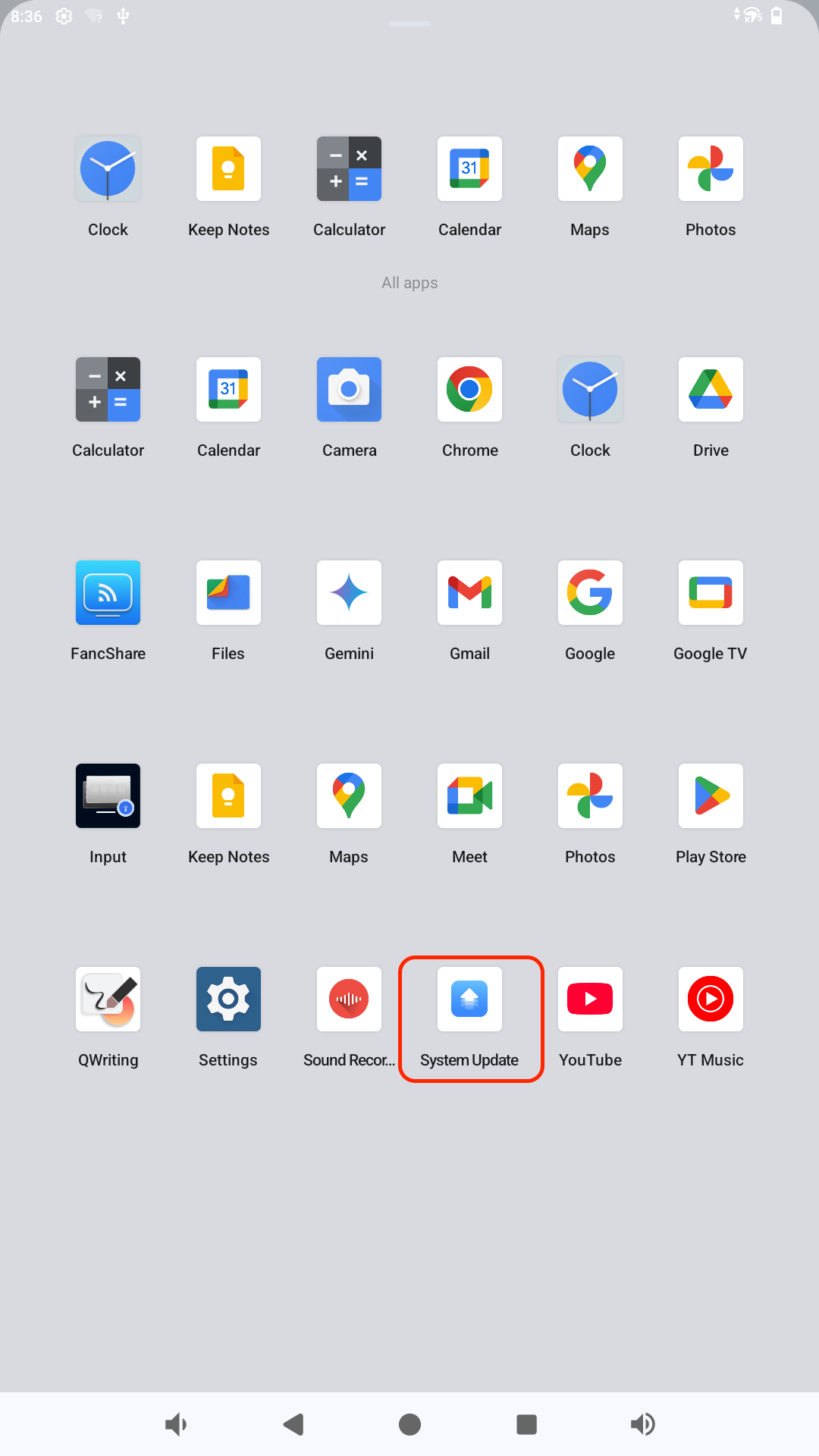
1.1 For DC685 Series, directly open the System Update APP​

Open System Update directly

Image

System Update


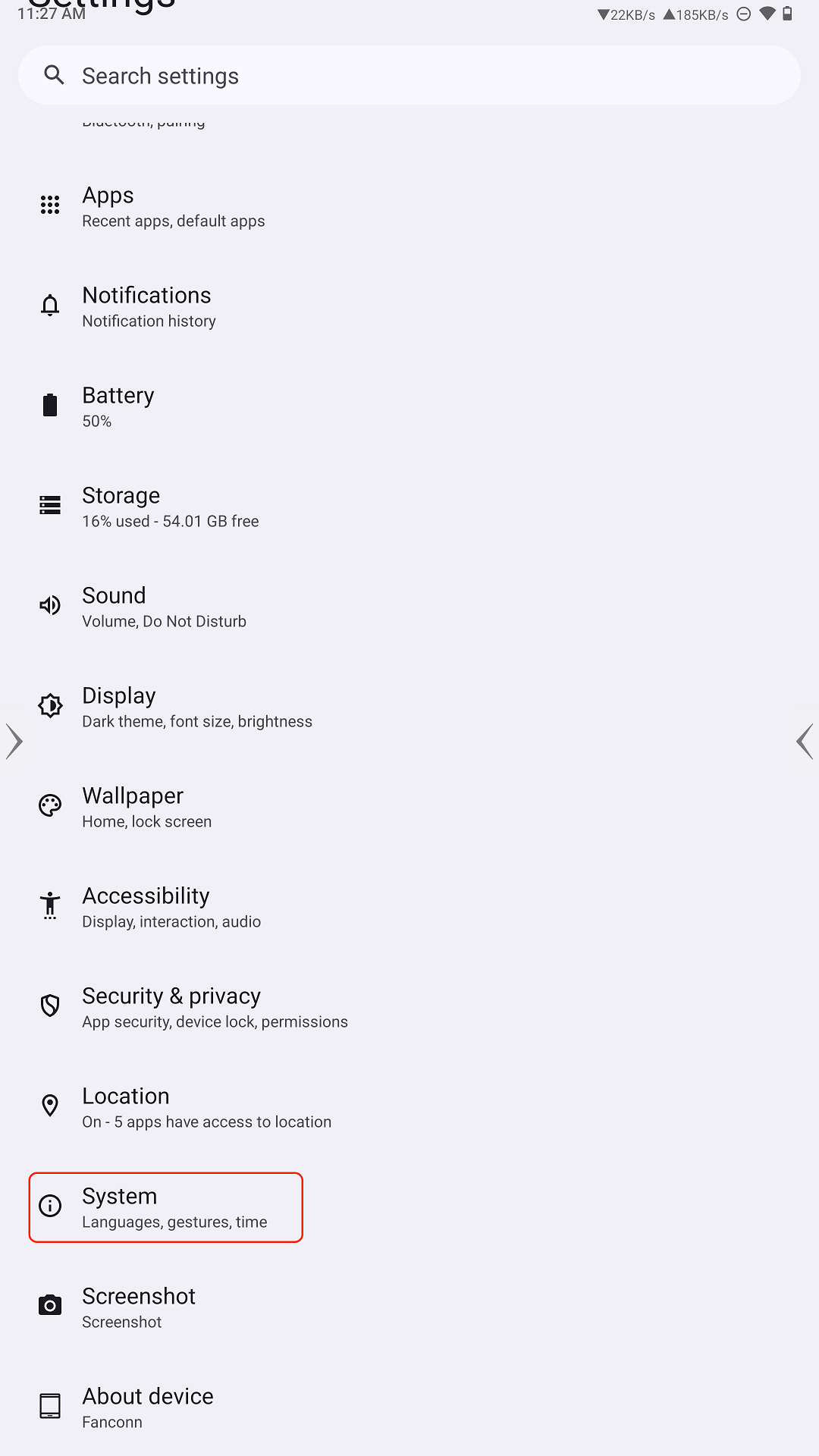
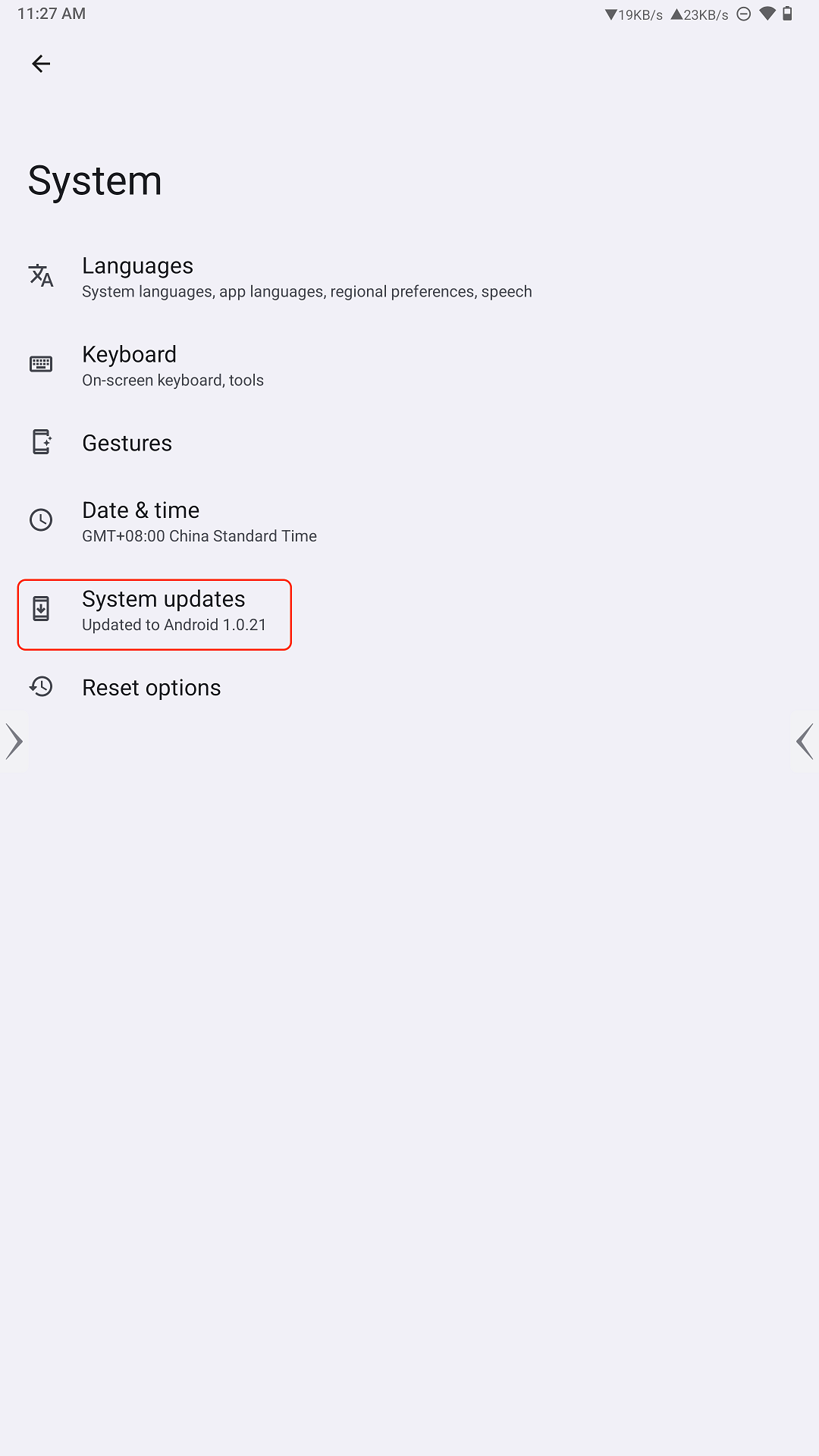
1.2 Navigate to Settings - System Update - System Update​

Open System Update directly

Image Image

System Update


AI Translation Notice

This page was translated into English by AI and is provided for reference only. The original document is written in Chinese. If there is any discrepancy, the Chinese version prevails.

本页英文内容由 AI 自动翻译生成,仅供参考;原文为中文,如有差异请以中文原文为准。

查看中文原文 / View the Chinese original →