Interface Definitions

The DC690V provides a rich set of interfaces, as shown in the following diagram:
Overall Interface Diagram
Overall Device Interfaces
J1 Power Supply
Connection Method
Pin Definitions
| Pin No. | Pin Description | Wire Color (Reference) | Notes |
|---|---|---|---|
| 1 | 12V | Red | Operating Voltage 12V |
| 2 | 12V | Red | Operating Voltage 12V |
| 3 | GND | Black | Ground |
| 4 | GND | Black | Ground |
Connect to a 12V Power Supply
- Supports
DC 12V 4PINpower connector
The 4-pin connector is not soldered by default.
Measured Power Consumption
-
Test Method:
- Flash the default
Androidfirmware. - Power on normally, unlock the screen, and perform no other operations.
- Measure only the motherboard power; the backlight is not connected.
- Flash the default
| State | Voltage | Current | Power | Notes |
|---|---|---|---|---|
| Normal boot, no screen connected | 12.4V | 0.2-0.3A | Standby 3.6-4.2W | Measurement accuracy 0.1 |
J3 TYPE-C Full-Featured Port
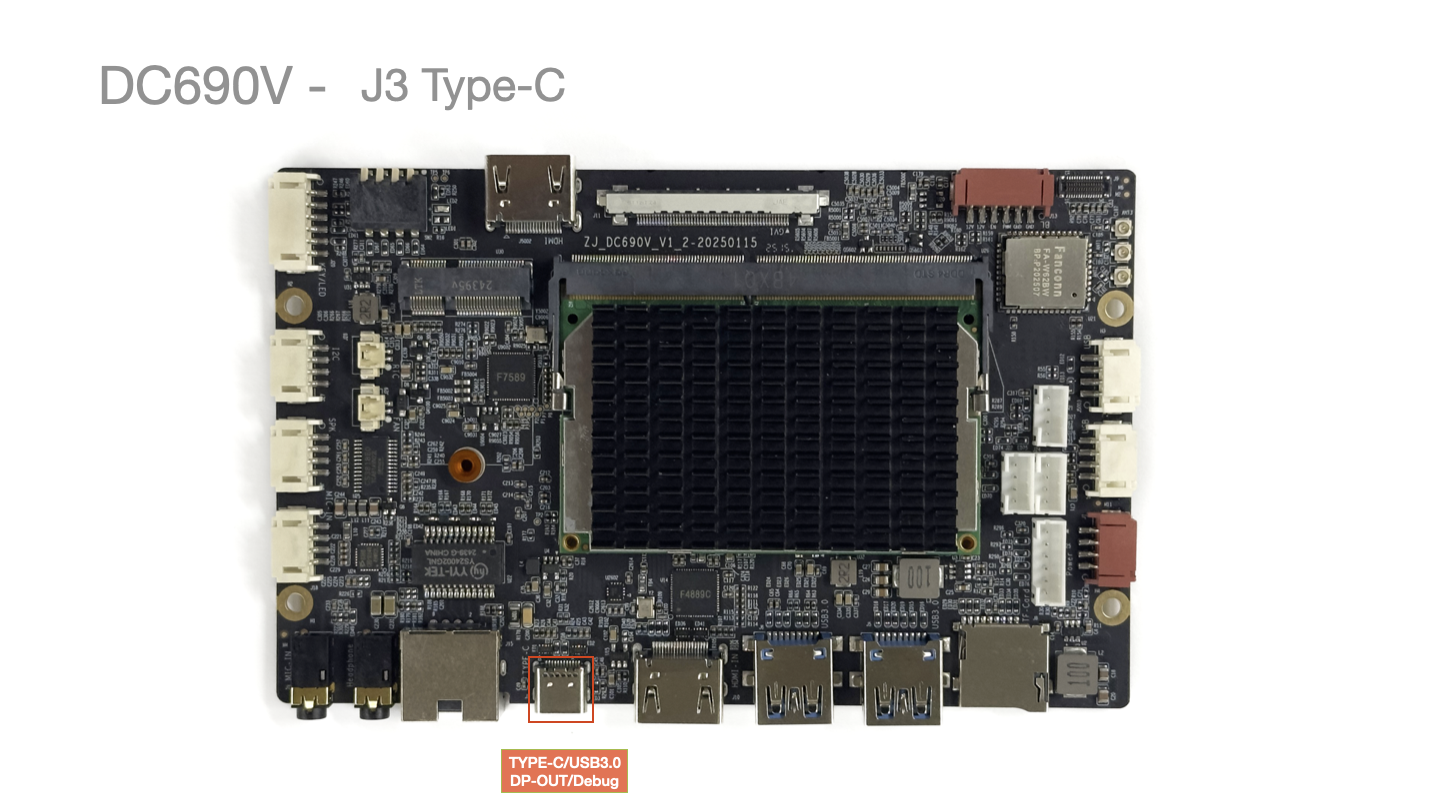
- Full-featured TYPE-C Port: Supports DP output and USB3.0 OTG function.
J5/J6 USB-A 3.0 Ports
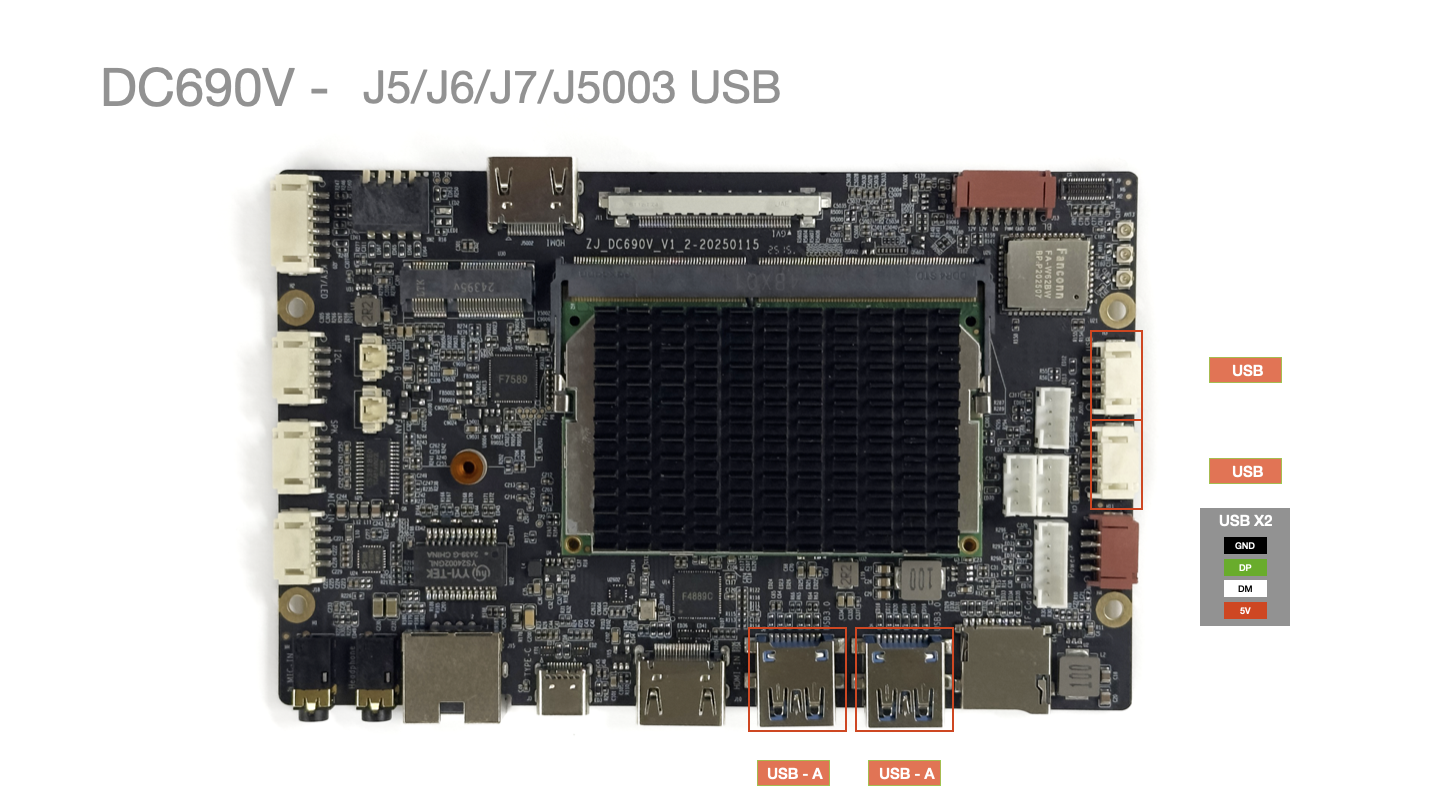
- Supports 2x standard USB-A 3.0 ports.
J7/J5003 USB 4-Pin Ports
- Supports 2x USB PH2.0 ports.
| Pin No. | Pin Description | Wire Color (Reference) | Notes |
|---|---|---|---|
| 1 | GND | Black | Ground |
| 2 | DP | Green | |
| 3 | DM | White | |
| 4 | 5V | Red | 5V |
J8 TF-Card Slot
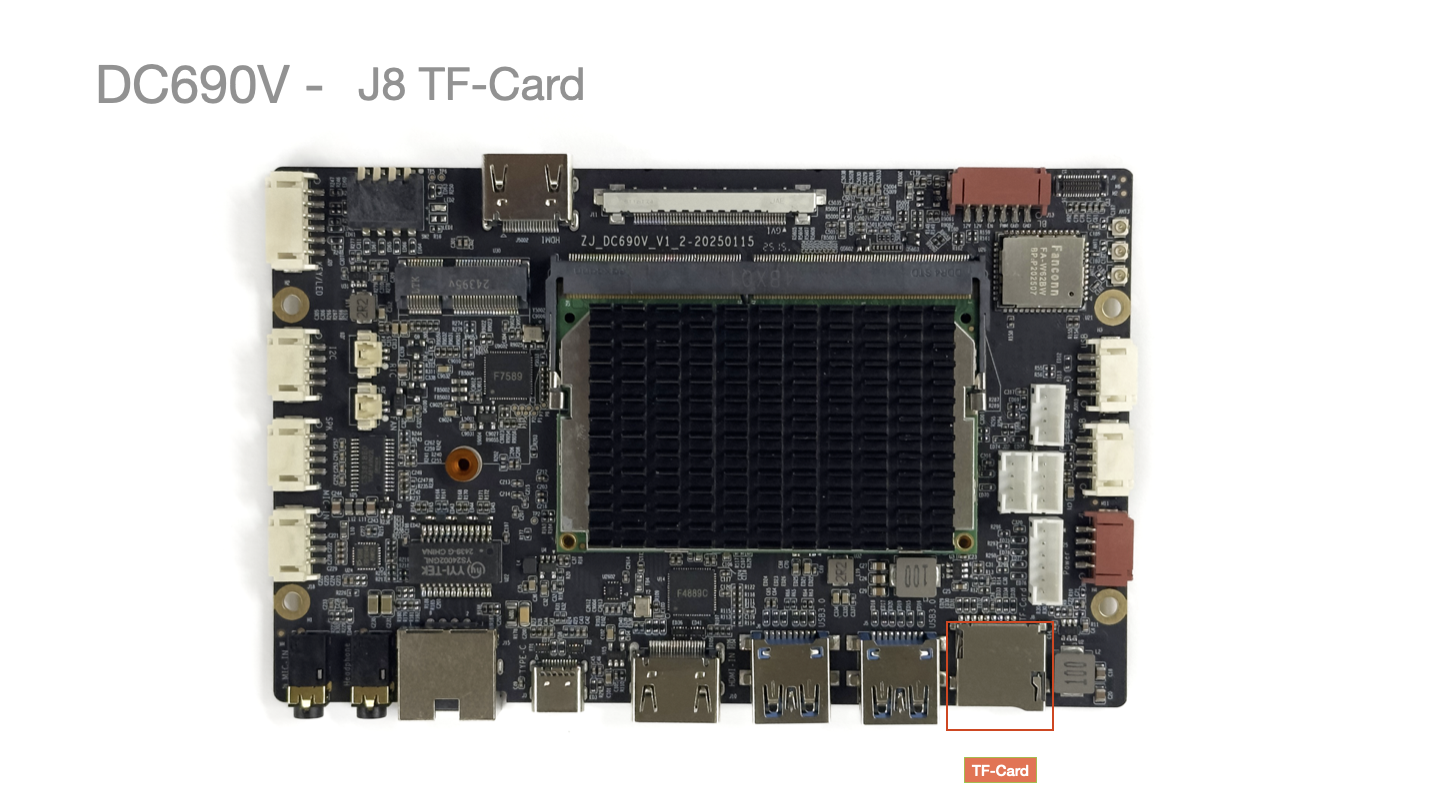
Max tested capacity 256GB, theoretically supports up to 512GB.
J9 MIPI Camera Interface
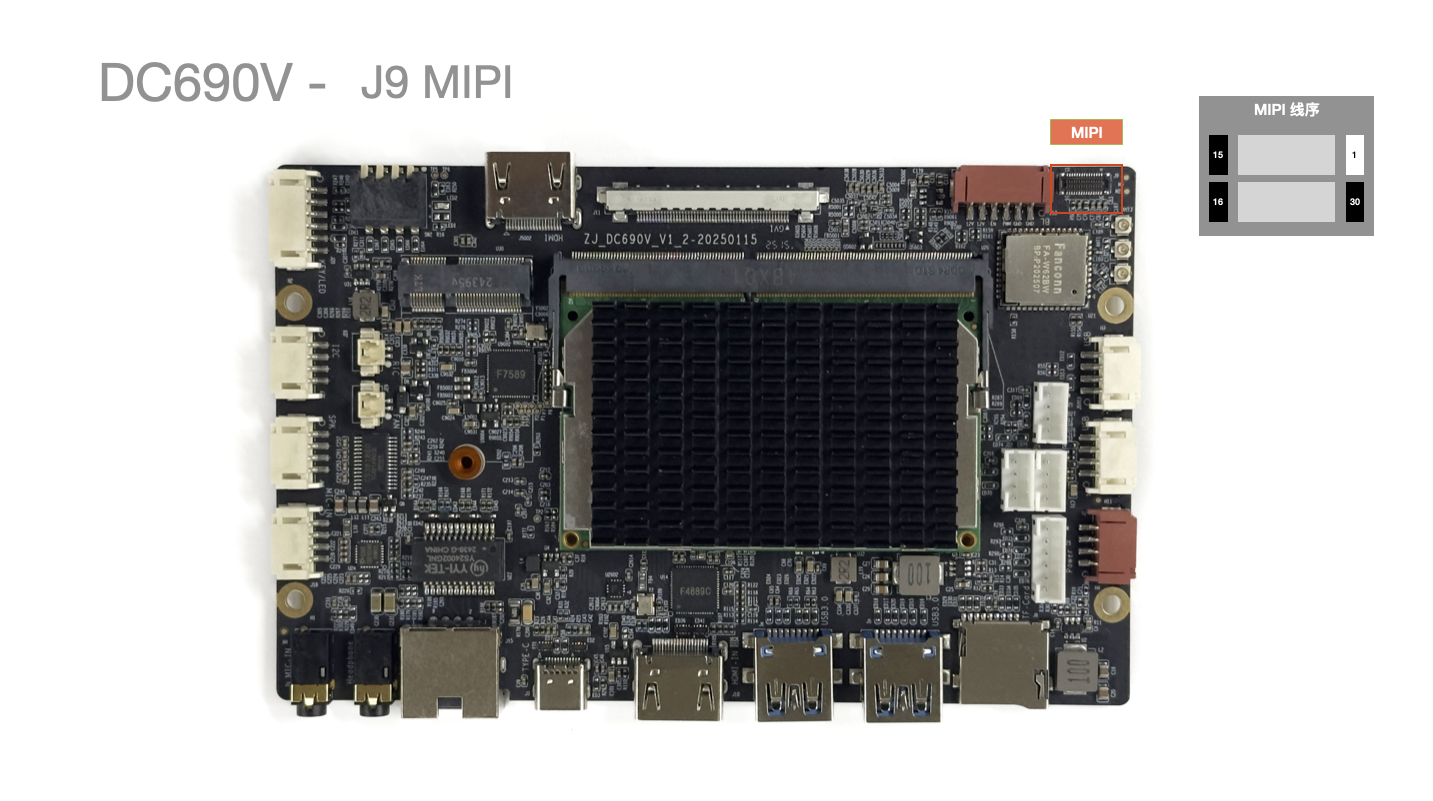
- Connector Model: YXT-BB10-30S-02
J10 HDMI-IN/OUT Video Input/Output
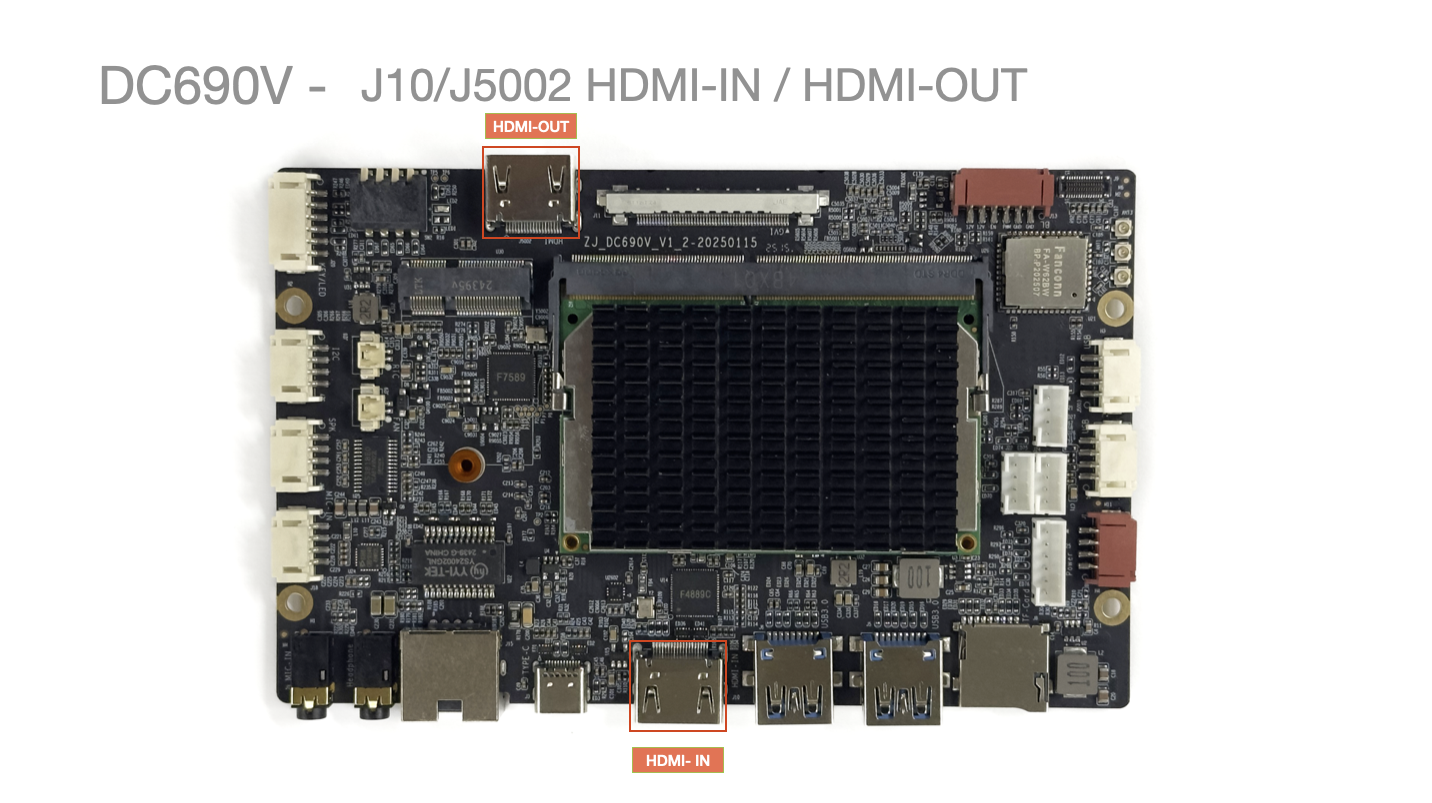
- 1x HDMI IN: Supports resolutions up to 19201080@60 / 38402160@30
- 1x HDMI OUT: Supports resolutions up to 19201080@60 / 38402160@30
J11 V-By-One Interface
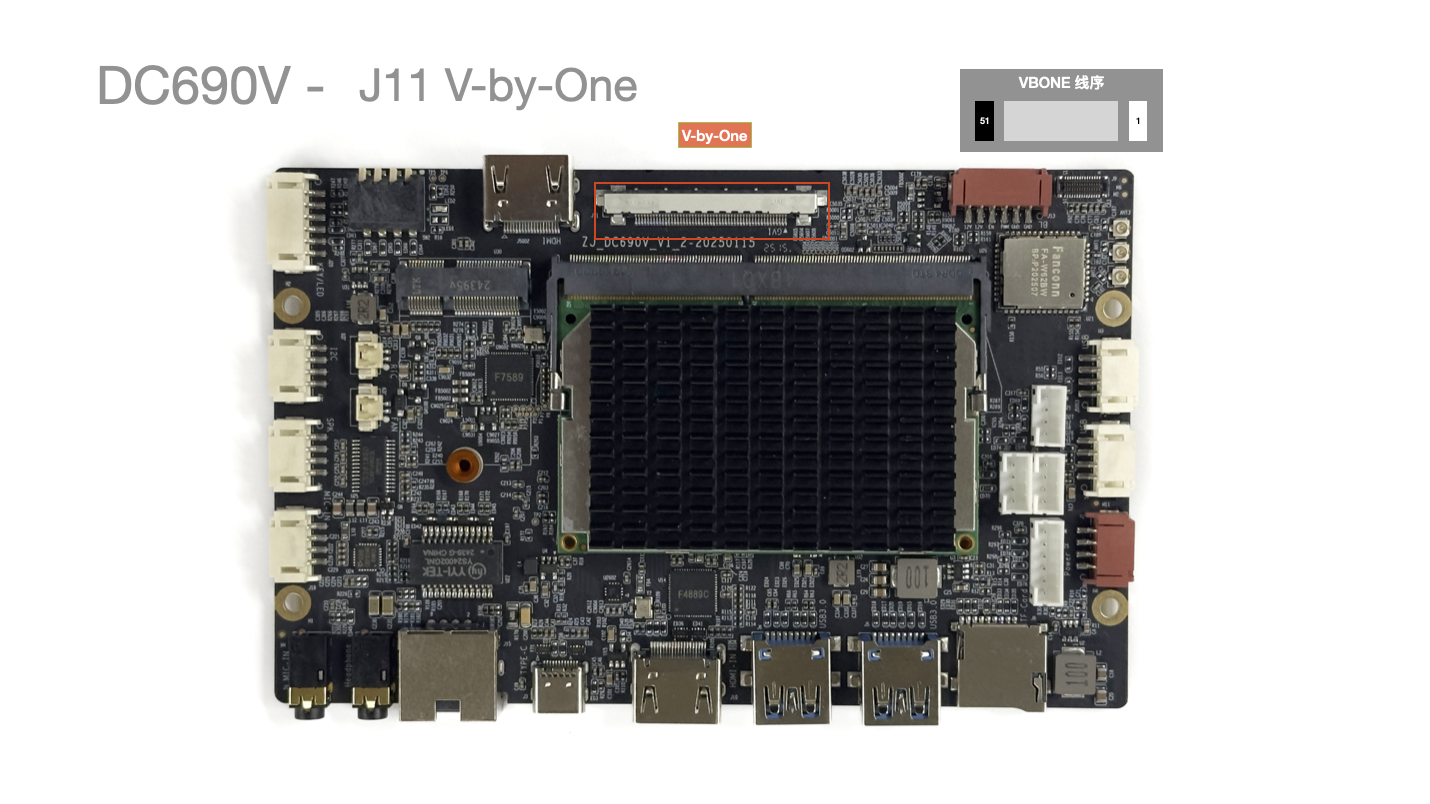
- V-By-One interface.
J13 Backlight Power Supply
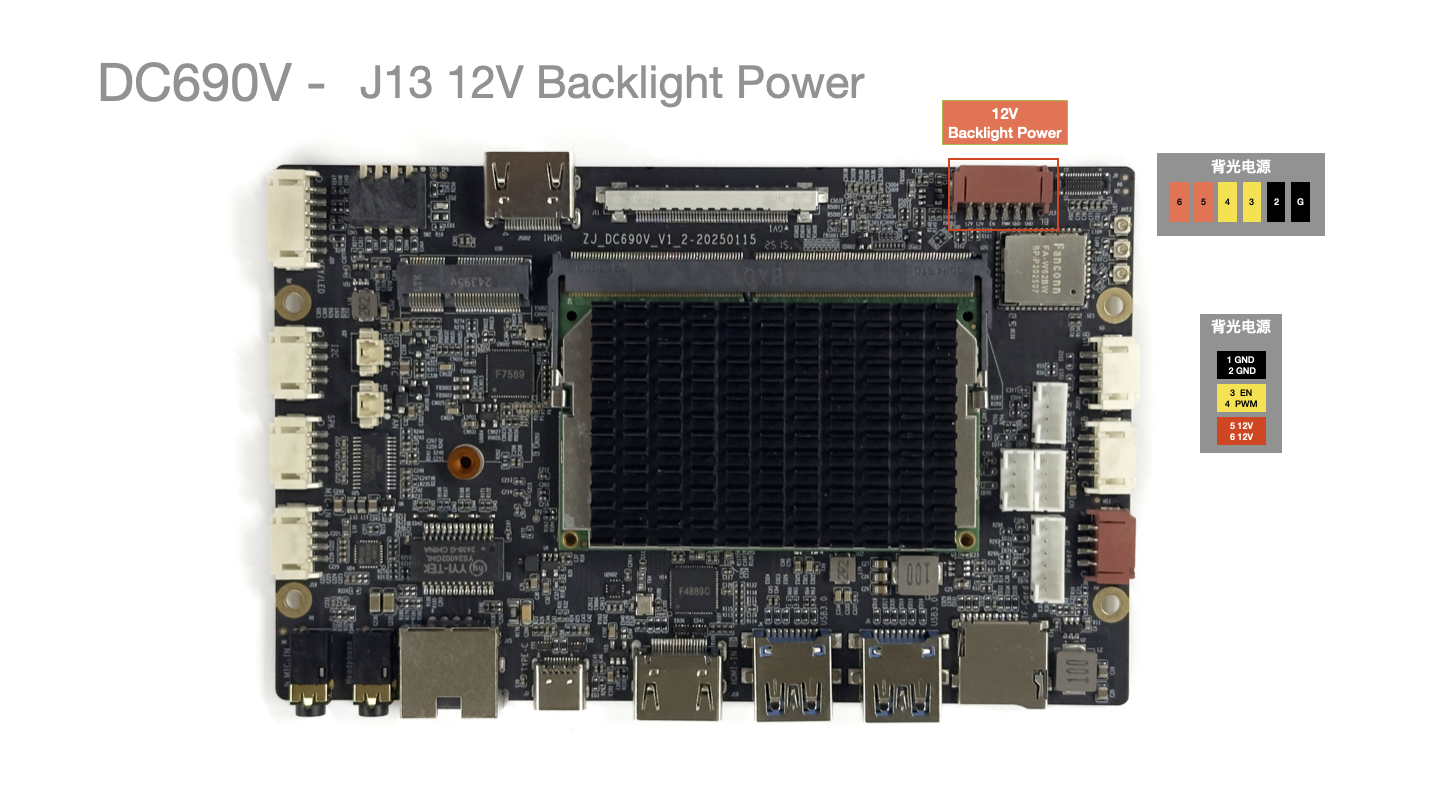
| Pin No. | Pin Description | Wire Color (Reference) | Notes |
|---|---|---|---|
| 1 | 12V | Red | Operating Voltage 12V |
| 2 | 12V | Red | Operating Voltage 12V |
| 3 | BL EN | Yellow | Backlight Control |
| 4 | BL PWM | Yellow | Backlight Control |
| 5 | GND | Black | Ground |
| 6 | GND | Black | Ground |
- Maximum
3A Max
J15 Ethernet Port
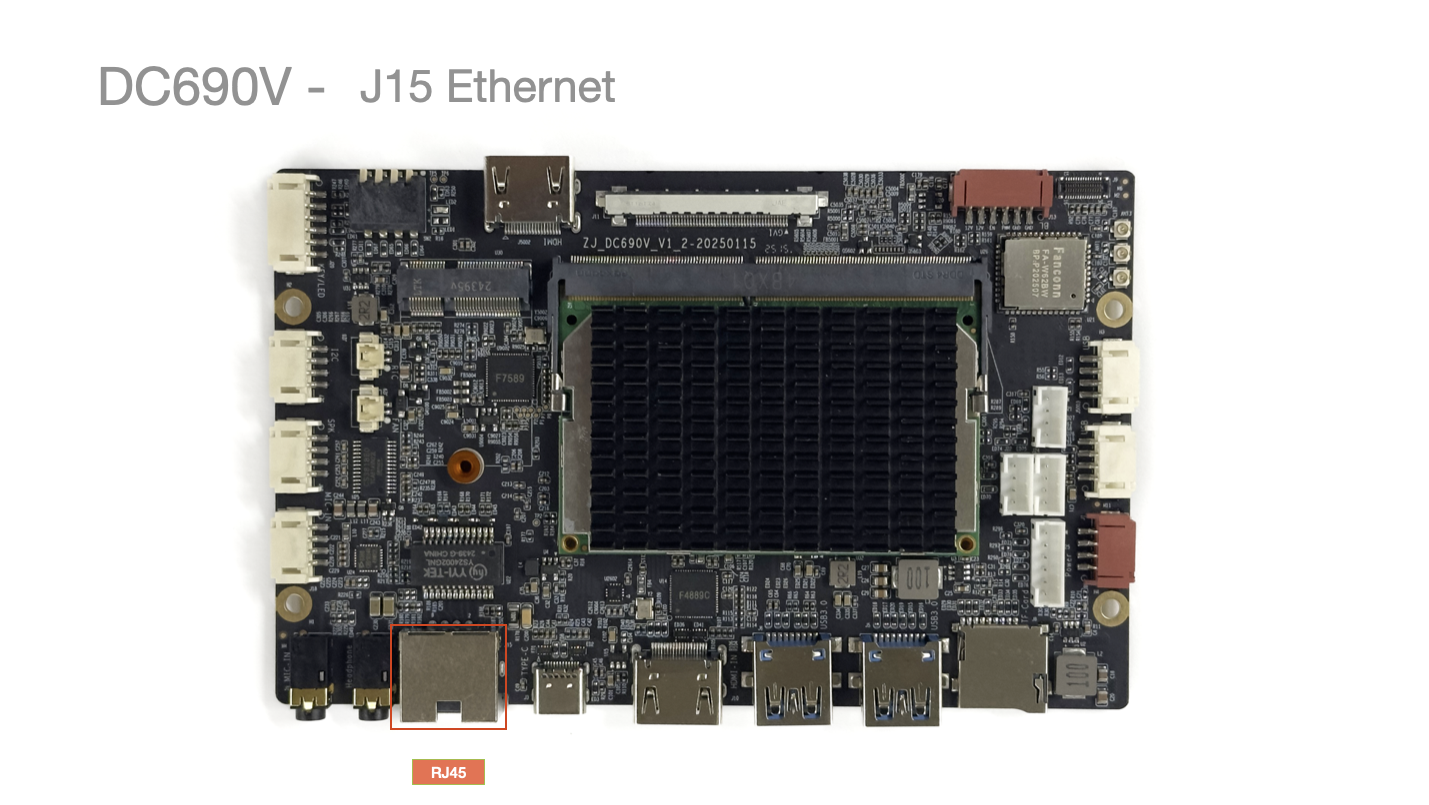
- Auto-negotiating Gigabit Ethernet, supports 10/100/1000Mbps.
J16 3.5mm Headphone Jack
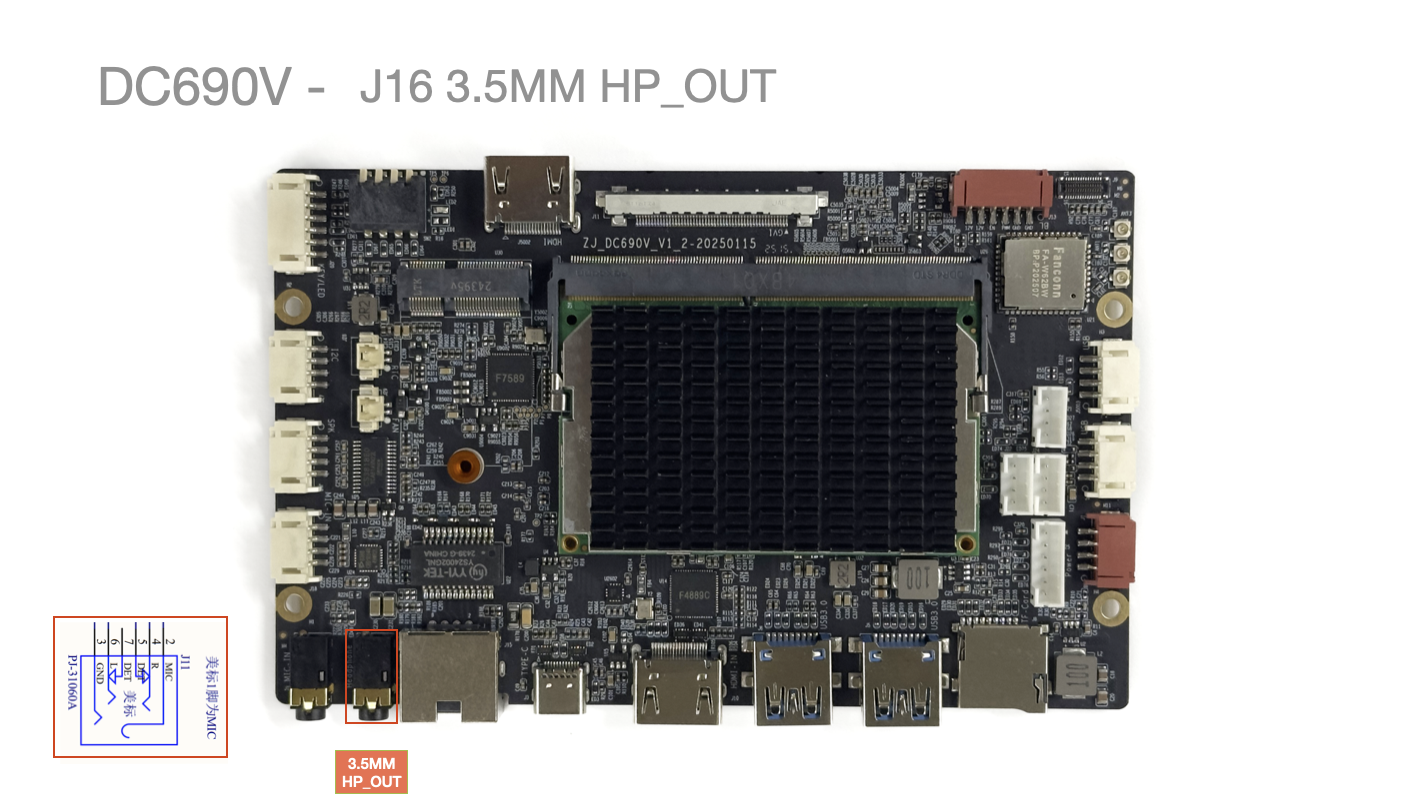
3.5mm Jack: American Standard (CTIA).
J17 3.5mm Microphone Jack
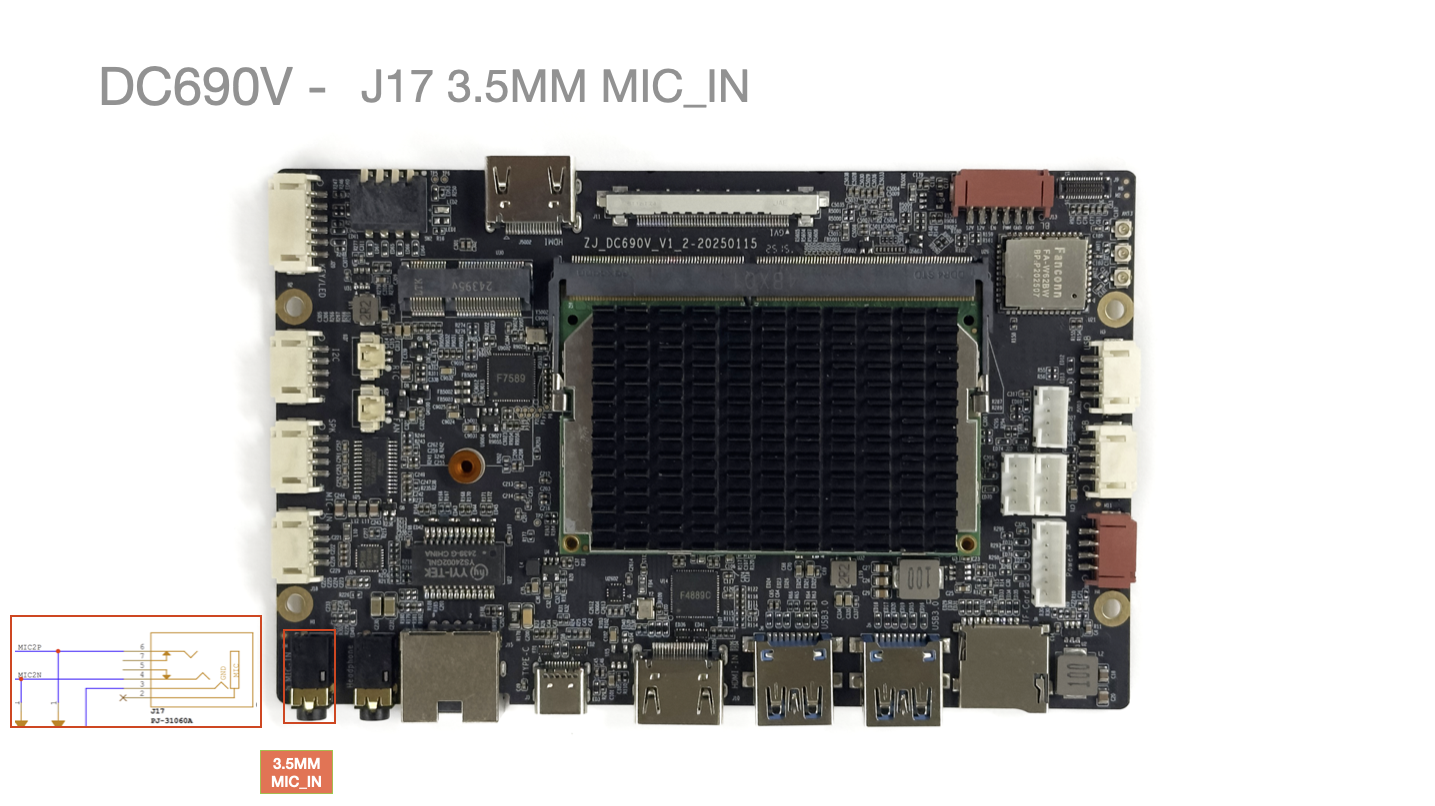
3.5mm Jack: Shared/parallel connection with MIC2.
J18 Microphone Input
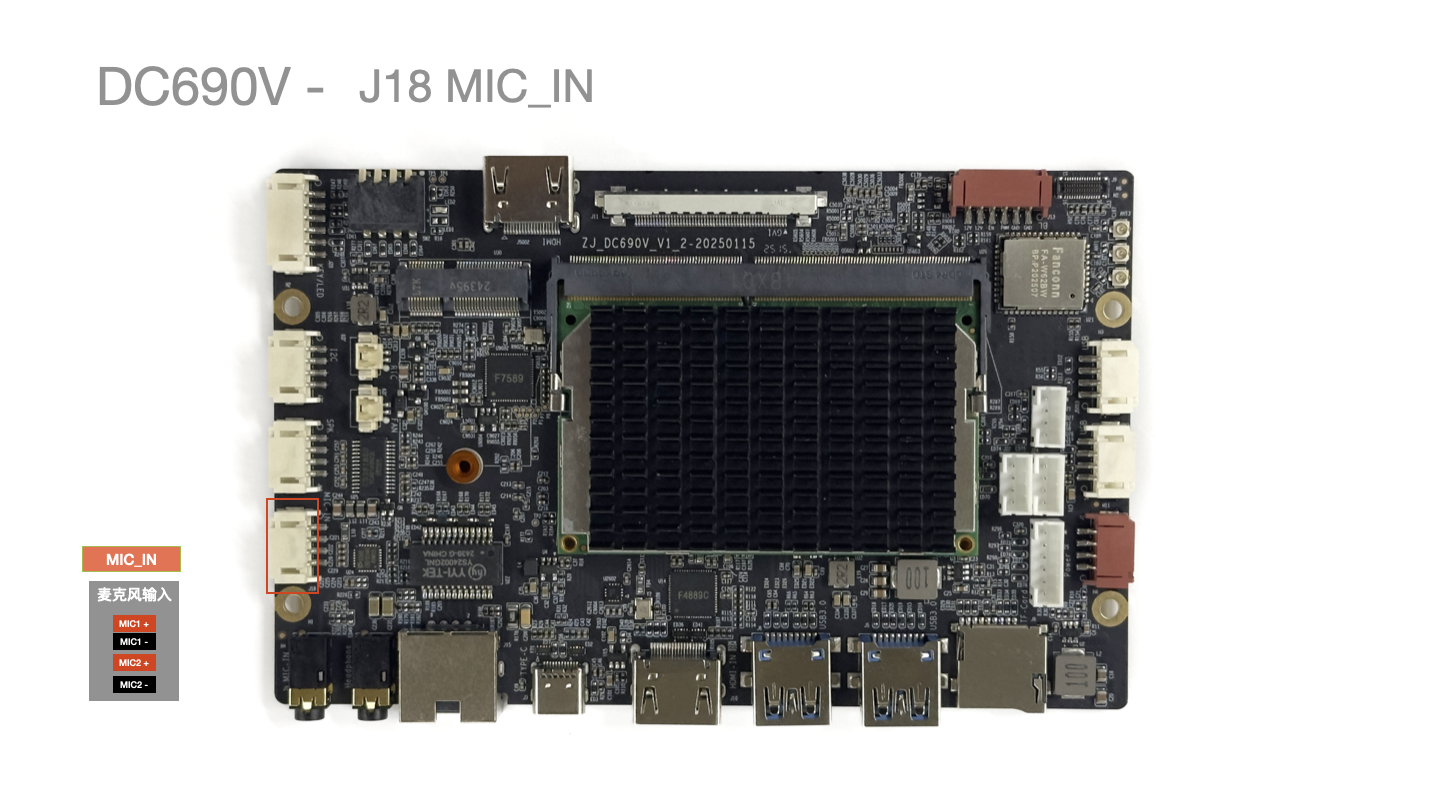
| Pin No. | Pin Description | Wire Color (Reference) |
|---|---|---|
| 1 | MIC1+ | Red |
| 2 | MIC1- | Black |
| 3 | MIC2+ | Red |
| 4 | MIC2- | Black |
J19 Speaker / Audio Amplifier Output
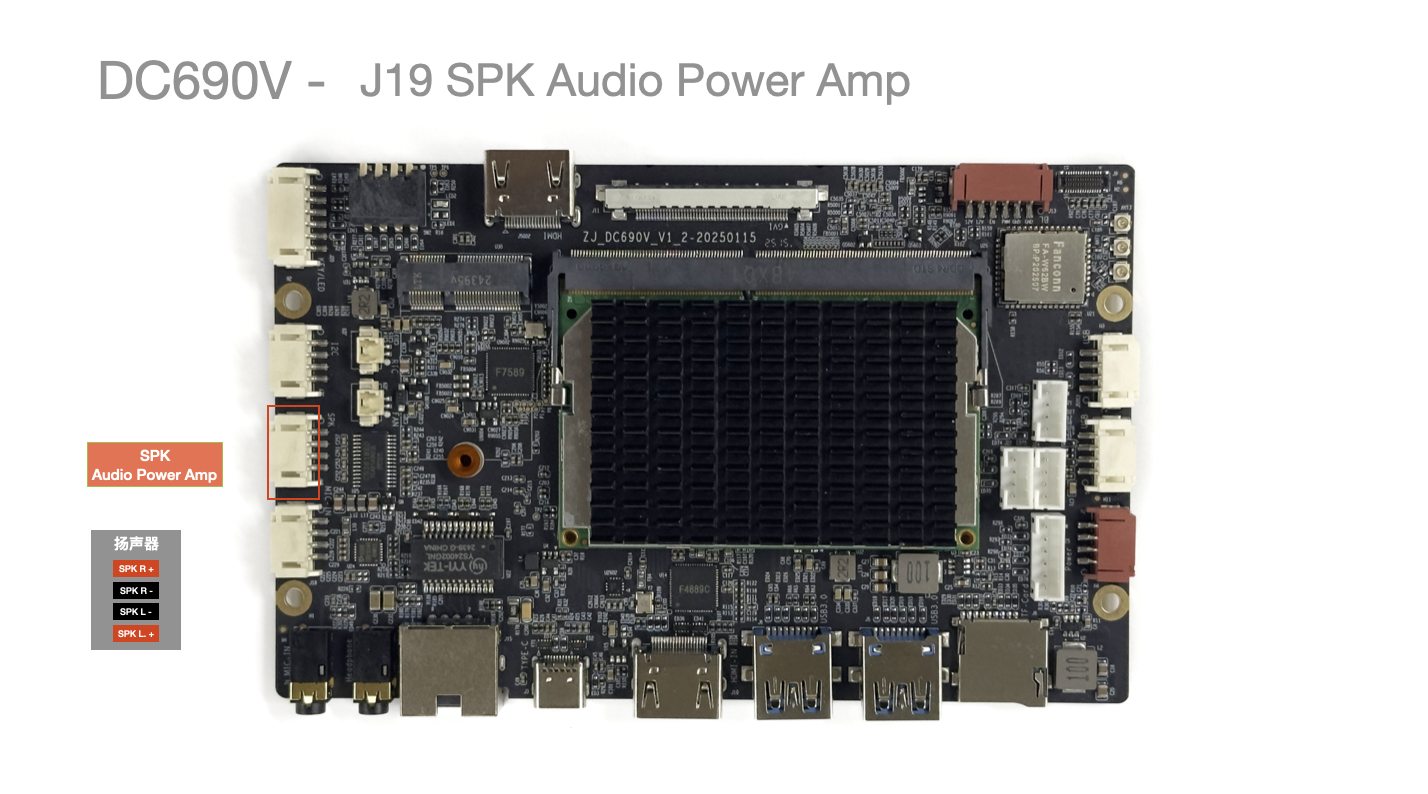
| Pin No. | Pin Description | Wire Color (Reference) |
|---|---|---|
| 1 | RP | Red |
| 2 | RN | Black |
| 3 | LN | Black |
| 4 | LP | Red |
J20 Panel Button Interface
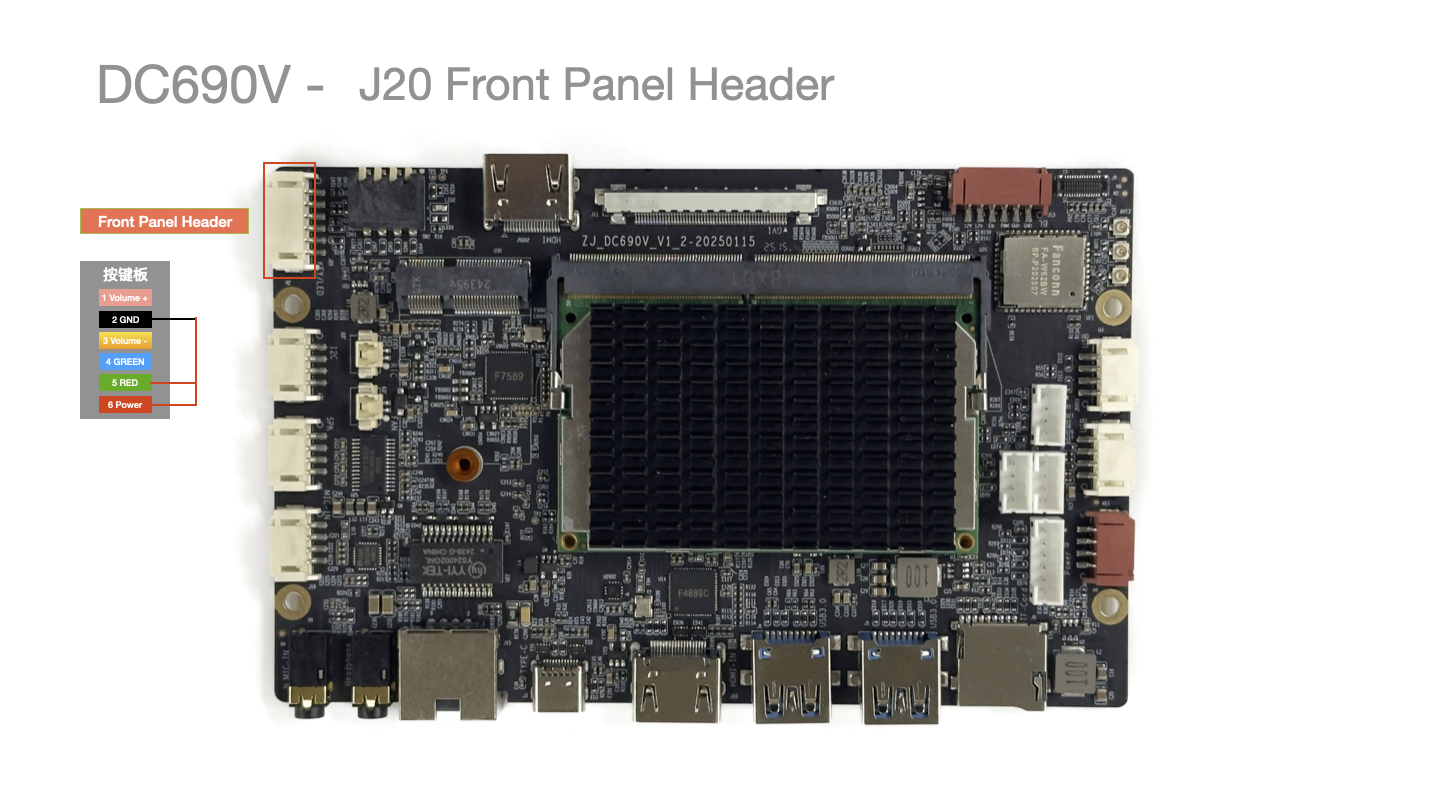
| Pin No. | Pin Description | Wire Color (Reference) | Notes |
|---|---|---|---|
| 1 | Volume + | None | Short to 5 GND for Volume + |
| 2 | GND | Black | Ground |
| 3 | Volume - | None | Short to 5 GND for Volume - |
| 4 | Recovery | None | Short to 5 GND for Recovery |
| 5 | MaskRom | None | Short to 5 GND for MaskRom |
| 6 | Power Key | None | Short to 5 GND for power button |
- Press and hold
Volume + during startup to enter Loader upgrade mode .
J21/J22/J24 UART/Debug Ports
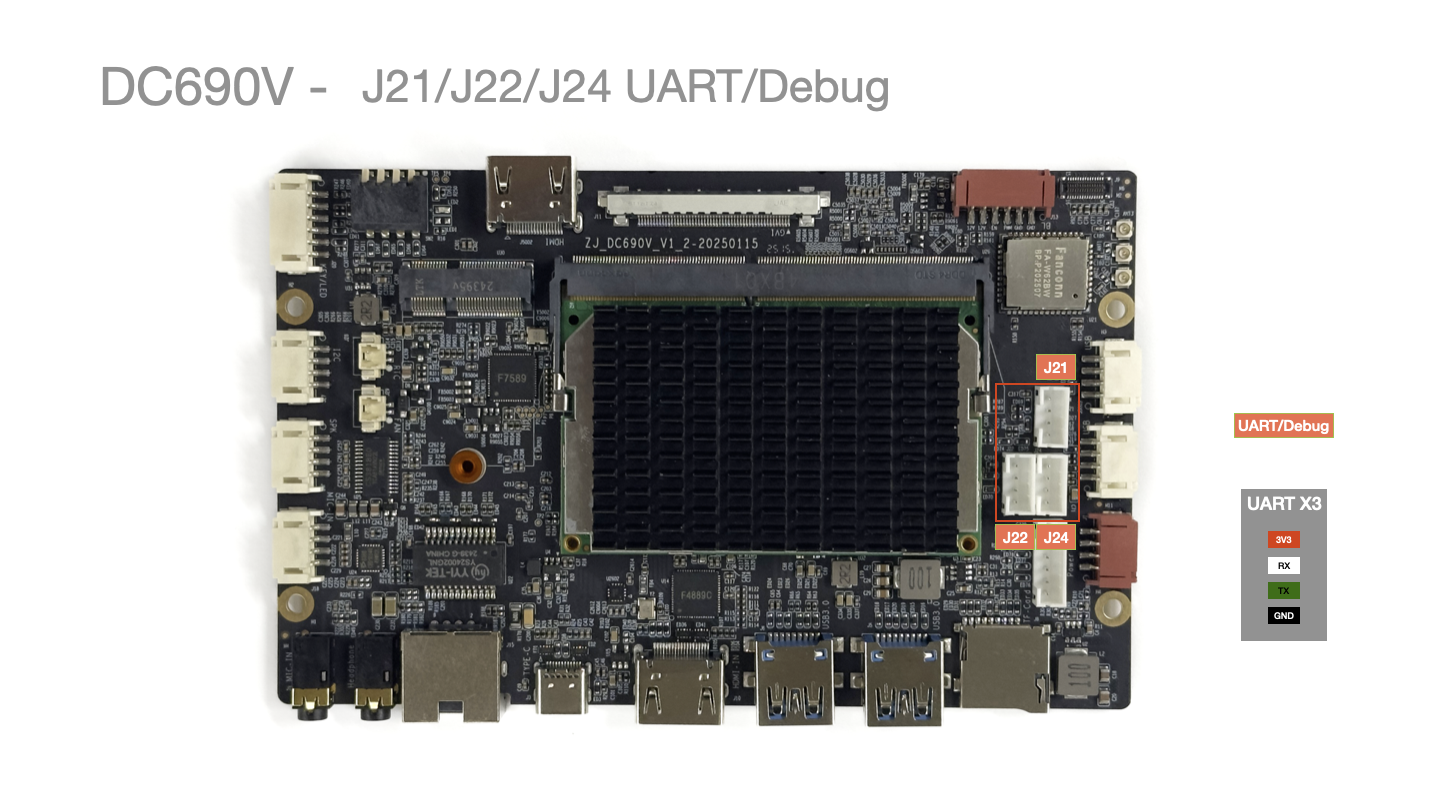
| Pin No. | Pin Description | Wire Color (Reference) |
|---|---|---|
| 1 | GND | Black |
| 2 | TX | Green |
| 3 | RX | White |
| 4 | 3V3 | Red |
J25 GPIO
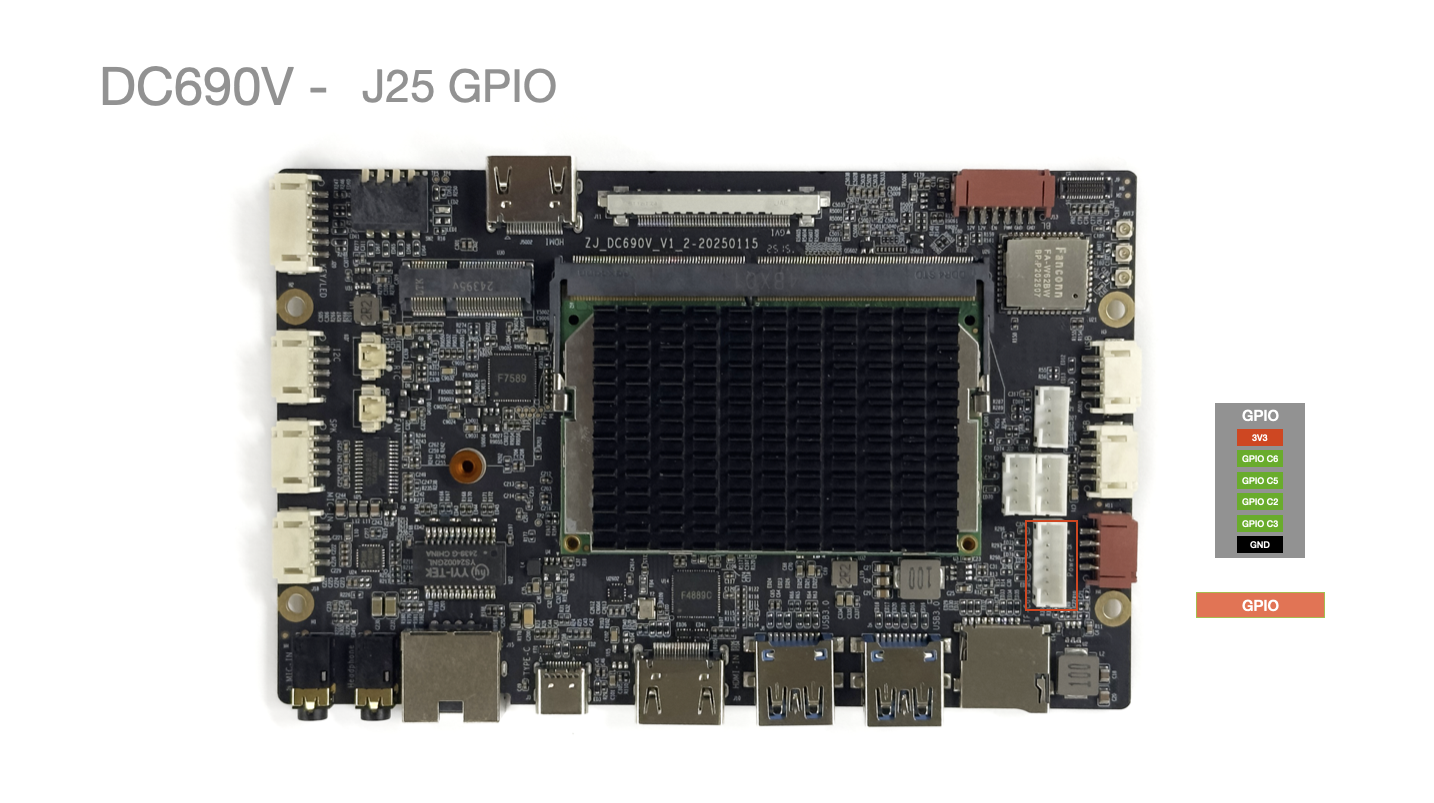
| Pin No. | Pin Description | Wire Color (Reference) | Notes |
|---|---|---|---|
| 1 | 3V3 | Red | |
| 2 | GPIO2_C4 | Yellow | High level when screen is off (can connect to red standby indicator light) |
| 3 | GPIO2_C5 | Yellow | High level when screen is on (can connect to blue/green power-on status light) |
| 4 | GPIO2_C2 | Yellow | |
| 5 | GPIO2_C3 | Yellow | |
| 6 | GND | Black | Ground |
J27 I2C Port
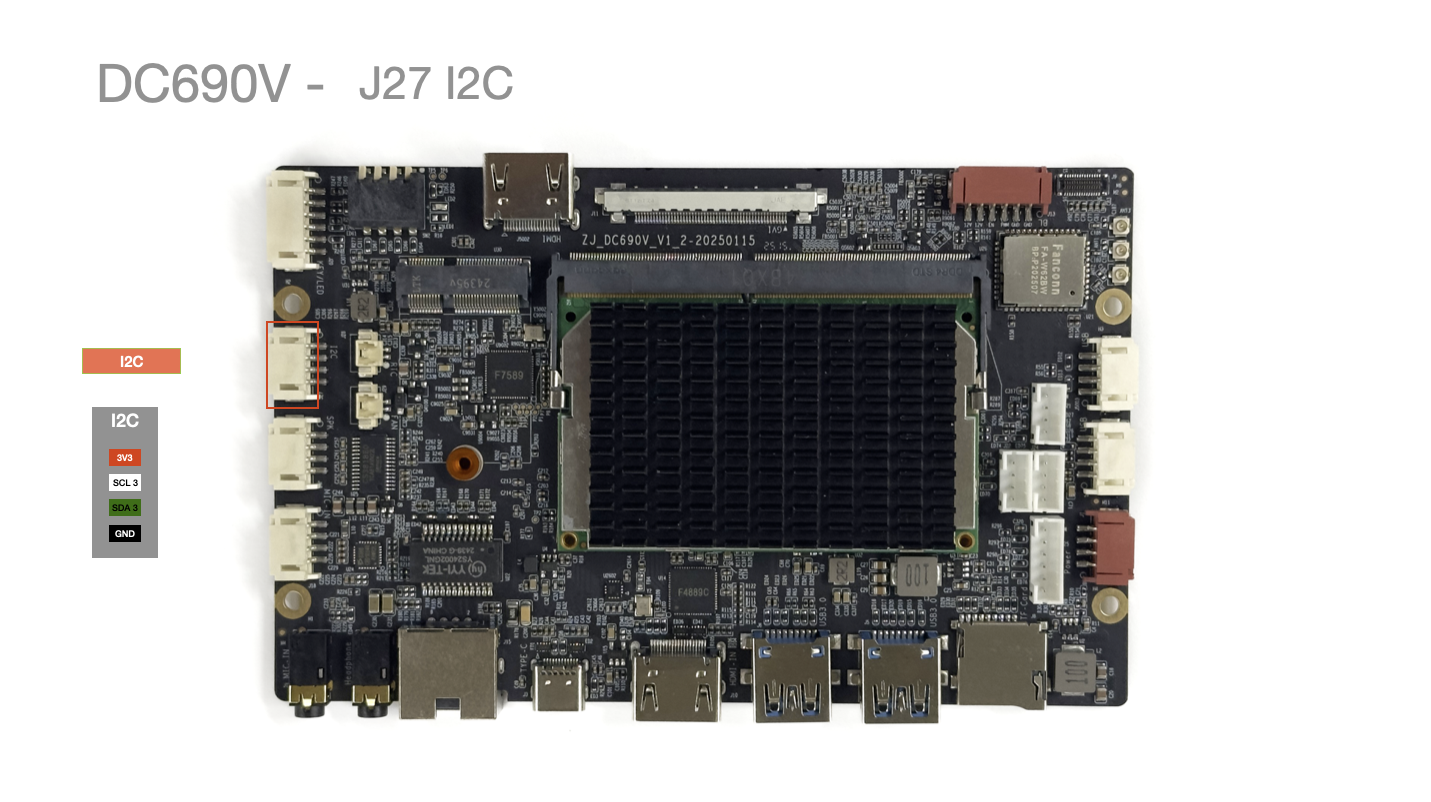
| Pin No. | Pin Description | Wire Color (Reference) |
|---|---|---|
| 1 | 3V3 | Red |
| 2 | SDA 3 | White |
| 3 | SCL 3 | Green |
| 4 | GND | Black |
J28 RTC Battery
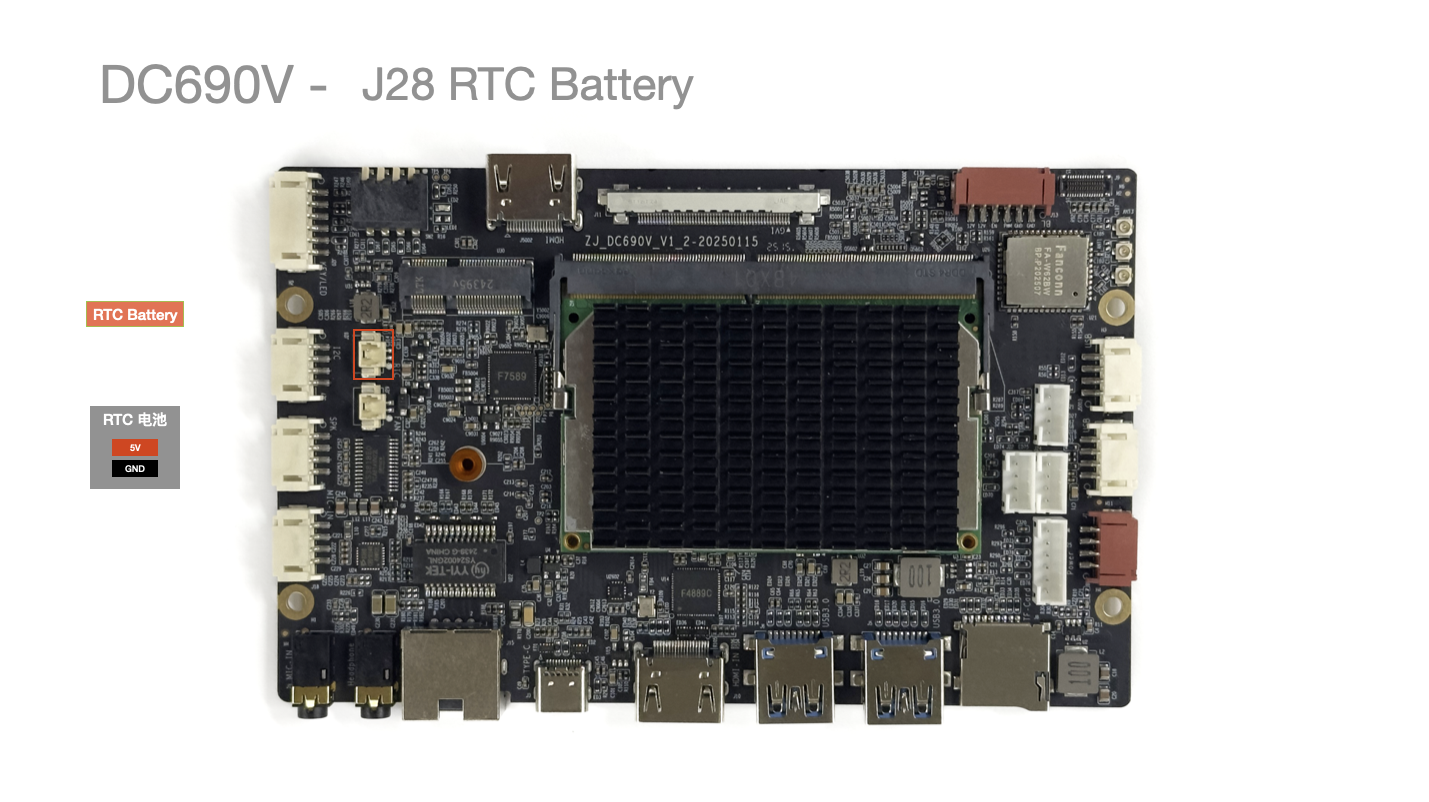
| Pin No. | Pin Description | Wire Color (Reference) |
|---|---|---|
| 1 | GND | Black |
| 2 | 3V3 | Red |
J29 SYS FAN (Cooling Fan)
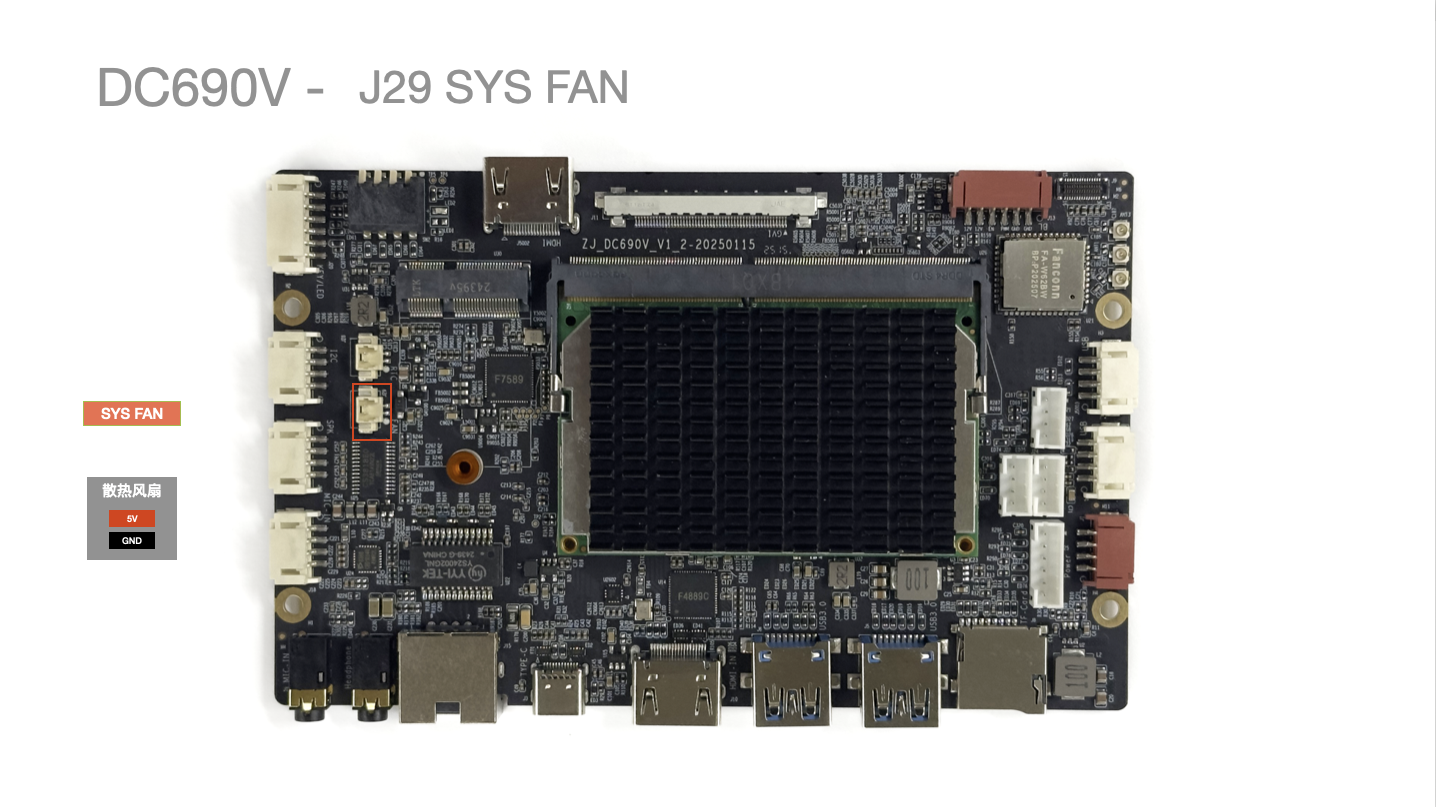
| Pin No. | Pin Description | Wire Color (Reference) |
|---|---|---|
| 1 | GND | Black |
| 2 | 5V | Red |
SW1 Boot/Upgrade Button
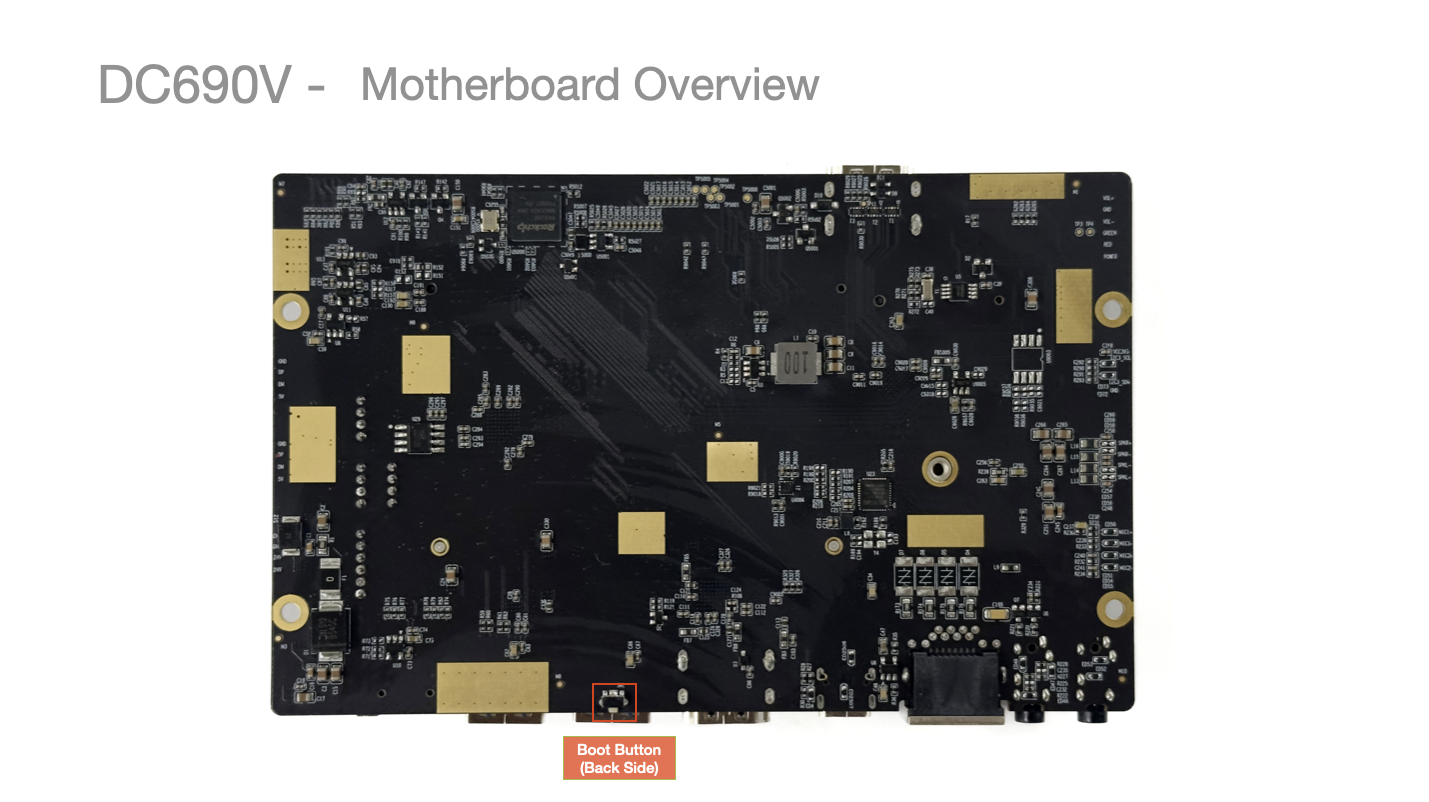
Press and hold to enter
SW2 DIP Switch
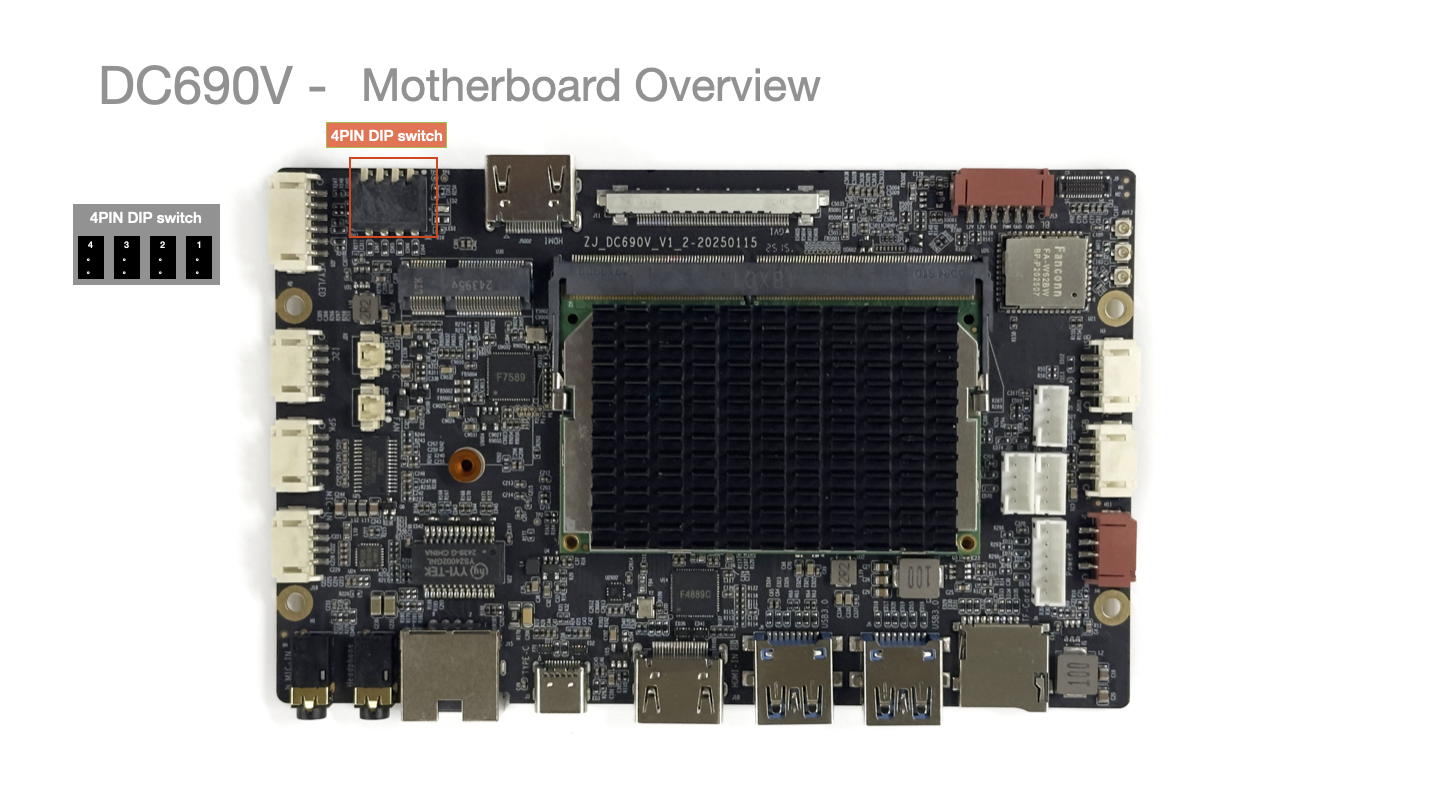
- Component Model:
DSPV04LSGET, DIP Switch - Side-actuated Piano Key - SMT - 2.54mm pitch - 4 positions - DSPV04LSGET
Switch No. Name State (Up/Down) Corresponding Function Notes 1 TAG_DATA_FORMAT Up/Pressed JEIDA Abnormal screen colors 2 TAG_PORT_WASP Up/Pressed 1 Stripes appear on screen 3 TAG_COLOR_DEPTH Up/Pressed DEPTH_6BIT Color difference on screen 4 Backlight Polarity Adj. Up/Pressed Polarity Inversion Brightness decreases when trying to increase
Pressing the switch towards the PCB